Best POS System for Small Restaurants: Buyer Checklist
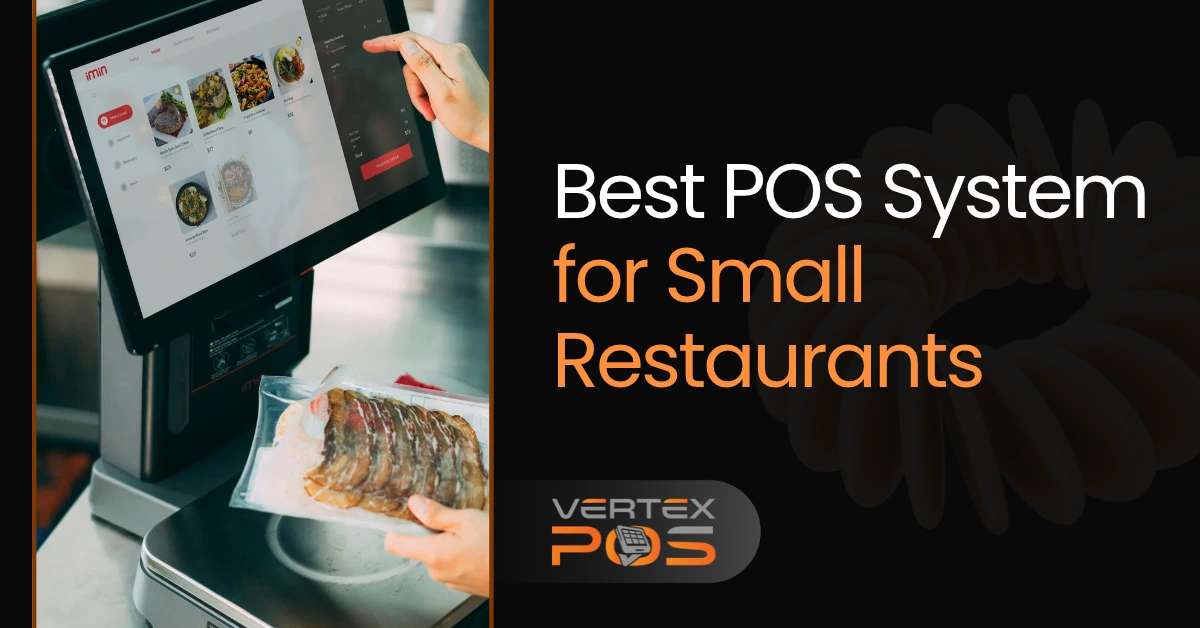
Running a small restaurant means handling orders, payments, staff, and customers every day. During busy hours, even a small mistake can slow down service and leave customers waiting.
The right point-of-sale (POS) system can make these tasks easier. It helps your team take orders, send them to the kitchen, accept payments, and track sales from one place.
But with so many options available, how do you find the best POS system for small restaurants?
The answer depends on your restaurant's size, budget, and daily needs. This guide gives you a simple 12-point buyer checklist to help you compare POS systems, understand costs, and choose one that works for your business.
What Makes a Good POS System for a Small Restaurant?
A restaurant POS system is the software and equipment used to take orders and process payments. Modern systems can also help with inventory, staff tasks, kitchen orders, and sales reports.
For example, when a customer orders a burger without onions, your cashier can enter that request into the POS. The order then goes to the kitchen with the special instructions.
A good restaurant POS should help you:
Take orders quickly and correctly.
Accept different payment methods.
Keep the kitchen updated on new orders.
Track sales and popular menu items.
Manage stock and reduce food waste.
Make daily tasks easier for employees.
The best system is not always the one with the most features. A small takeout shop may need fast checkout and online ordering, while a dine-in restaurant may need table management and split bills.
Choose a system that solves your everyday problems without making work harder for your team.
12-Point Checklist for Choosing the Best Restaurant POS System
Before buying restaurant POS software, you need to know what to look for. Some features are needed for almost every restaurant, while others depend on how you serve customers.
Use this checklist when comparing providers or attending a POS demo.
POS Feature | What to Look For |
☐ 1. Fast order entry | Staff can add items, change orders, and include special requests easily. |
☐ 2. Kitchen order management | Orders reach the right kitchen station through a screen or printer. |
☐ 3. Payment options | The system accepts cash, cards, contactless payments, and tips. |
☐ 4. Menu management | You can update prices, add items, and mark dishes as unavailable. |
☐ 5. Inventory tracking | You can check stock levels and get alerts when supplies run low. |
☐ 6. Table management | Staff can track open tables, move orders, and split bills. |
☐ 7. Online ordering | Pickup and delivery orders can be managed without extra work. |
☐ 8. Sales reporting | You can review daily sales, busy hours, and popular dishes. |
☐ 9. Employee management | Managers can set staff permissions and track work activity. |
☐ 10. Easy-to-use design | New employees can learn basic tasks with little training. |
☐ 11. Security and reliability | Payment data is protected, and there is a clear plan for internet outages. |
☐ 12. Support and flexibility | You can get help when needed and add tools as your restaurant grows. |
Not every restaurant needs all 12 features right away.
For example, if you own a small coffee shop with no seating, advanced table management may not matter. But fast payments and simple menu updates are likely to be important.
Start by choosing your five must-have features. Then look for a POS that meets those needs at a price you can afford.
Which POS Features Matter for Your Restaurant Type?
Every restaurant works differently. A busy pizza shop handles orders differently from a small cafe or a full-service restaurant.
That's why your restaurant type should guide your POS decision.
Restaurant Type | Most Important POS Features |
Cafe or coffee shop | Quick checkout, menu changes, digital payments, and tips |
Fast-food restaurant | Fast order entry, kitchen displays, and combo meal options |
Full-service restaurant | Table management, split bills, kitchen coordination, and tips |
Takeout or delivery restaurant | Online ordering, order tracking, and delivery management |
For a cafe, a simple screen that lets staff select drinks and take payments may be enough.
A full-service restaurant needs more control. Servers may need to add items to an open table, send orders in courses, or split one bill between several customers.
If your restaurant gets many online orders, look for a POS that can bring those orders into one place. This can help your team avoid checking several devices during a rush.
Think about how an order moves through your restaurant, from the customer to the kitchen and finally to payment. Your POS should support that process.
How Much Does a Small Restaurant POS System Really Cost?
Cost is one of the biggest concerns when buying a POS system for a small restaurant.
Some providers offer free or low-cost software plans. Others charge monthly fees based on the tools, devices, or locations you need.
But the monthly software price is only one part of the total cost.
1. Software Subscription
Many POS providers charge a monthly fee for access to their software. Basic plans may cover ordering and payments, while more advanced plans may include inventory, employee tools, and online ordering.
Check which features come with your plan and which require an upgrade.
2. Hardware Costs
Depending on your setup, you may need a touchscreen, card reader, receipt printer, cash drawer, or kitchen display.
Ask whether you must buy special hardware or can use equipment you already own.
3. Payment Processing Fees
Card payments usually have processing fees. These may include a percentage of each sale and a fixed fee per transaction.
Even a small difference in fees can matter when you process many orders each day.
4. Setup and Extra Features
Some providers charge for installation, training, additional devices, or connections to other software.
Check for these costs before signing a contract.
Example: First-Year POS Cost
Here is a simple example using made-up prices to show how costs add up.
Expense | Example Cost |
Software subscription | $100/month |
Hardware | $500 one-time |
Payment processing | $200/month |
Estimated first-year cost | $4,100 |
This is only an example, not a quote from any POS provider. Actual costs depend on your sales, plan, hardware, and payment terms.
Before choosing a provider, ask for a written estimate that covers the full first year. Also check the contract length, cancellation rules, and whether you can change payment processors.
A cheaper monthly plan is not always the cheaper choice overall.
How to Test a Restaurant POS Before Buying
A POS system may look great on a website but feel confusing when your staff starts using it.
The best way to find out is to request a live demo. Ask the provider to show you how the system handles the same tasks your restaurant performs every day.
Here are five simple tests.
1. Enter a Customer Order
Choose a few items from your menu. Add special requests, such as extra cheese or no onions.
Check whether the process is quick and easy to understand.
2. Send the Order to the Kitchen
Watch how the order appears on the kitchen display or printed ticket.
Make sure the items and special instructions are easy for kitchen staff to read.
3. Change an Existing Order
Ask the provider to remove an item, add another dish, or change a customer request.
A good system should handle changes without creating confusion.
4. Process a Payment
Try a card payment, add a tip, and split a bill between two customers.
Check how receipts, refunds, and payment records work.
5. Review the Sales Report
Ask the provider to show total sales, payment records, and the most popular menu items.
The information should be simple enough for you to understand without extra help.
One more important test: Ask what happens if your restaurant loses internet access. Find out which tasks still work, whether card payments can continue, and how orders sync when the connection returns.
Also ask who provides technical support and whether help is available during your busiest hours.
Looking for a Restaurant POS System in New York City?
Running a restaurant in New York City can mean serving customers with very different needs. Some want a quick breakfast before work. Others order lunch for pickup or sit down for dinner with family.
Whether you run a cafe in Manhattan, a pizza shop in Brooklyn, a restaurant in Queens, or another food business across NYC, your POS needs to keep up with your daily orders.
Vertex POS is one option for New York City restaurant owners who want to manage several business tasks from one system.
How Vertex POS Can Help Your Restaurant
Vertex POS is designed to bring ordering, payments, kitchen operations, inventory, and business reports together.
Some of its restaurant-focused features include:
POS and billing: Take orders at the counter or table and manage payments.
Kitchen Display System (KDS): Send orders to kitchen screens so staff can see what needs to be prepared.
Inventory management: Track ingredients, review stock levels, and spot low-stock items.
Online ordering: Accept customer orders through supported online ordering tools.
Sales reports: Review sales activity and understand which items are selling.
Employee management: Manage staff access and work-related tasks.
These features can help reduce the need to switch between different tools during the day.
For example, when a customer places an order, your team can use the POS to handle the sale and send the details to the kitchen. Managers can also use reports to review business activity.
Vertex POS offers different plans, so you should confirm which features are included before choosing one. Advanced tools such as kitchen displays and inventory management may require a higher plan.
If you own a small restaurant anywhere in New York City, you can explore Vertex POS restaurant software and see whether it meets your needs.
You can also request a Vertex POS demo to see the software in action and ask questions about features, setup, and pricing.
Phone: 929-741-0550
Final Thoughts: Choose a POS That Fits Your Restaurant
Finding the best POS system for small restaurants does not have to be difficult.
Start with your daily needs. Decide which features matter most, compare the full costs, and request a demo before buying.
A good POS should help your staff serve customers, keep orders organized, and give you a clearer view of your business.
If you operate a restaurant in New York City and want to explore an all-in-one restaurant management solution, contact Vertex POS to learn how its features could fit your business.
Frequently Asked Questions About Small Restaurant POS Systems
Still deciding which POS system is right for your restaurant? These answers cover a few common questions small business owners ask before buying.
What Is the Best POS System for a Small Restaurant?
The best POS system depends on your restaurant's size, budget, and service style. Look for easy ordering, secure payments, simple reports, and kitchen tools that fit your needs. Compare the total costs and test the system before making a decision.
Can a Small Restaurant Use a POS Without Internet?
Some POS systems offer offline features, but the limits vary. You may be able to keep taking certain orders or payments during an outage. Ask the provider exactly what works offline and what happens when the internet returns.
Is a Free POS System Good Enough for a Small Restaurant?
A free POS plan may work for a very small restaurant with basic ordering and payment needs. However, kitchen displays, inventory tools, and other features may cost extra. Always check payment fees, hardware costs, and plan limits before choosing.



Ready to Grow Your Restaurant?
Discover why restaurants of every size trust Vertex to power their digital operations and customer experiences.