Multi-brand, multi-aggregator from one screen.
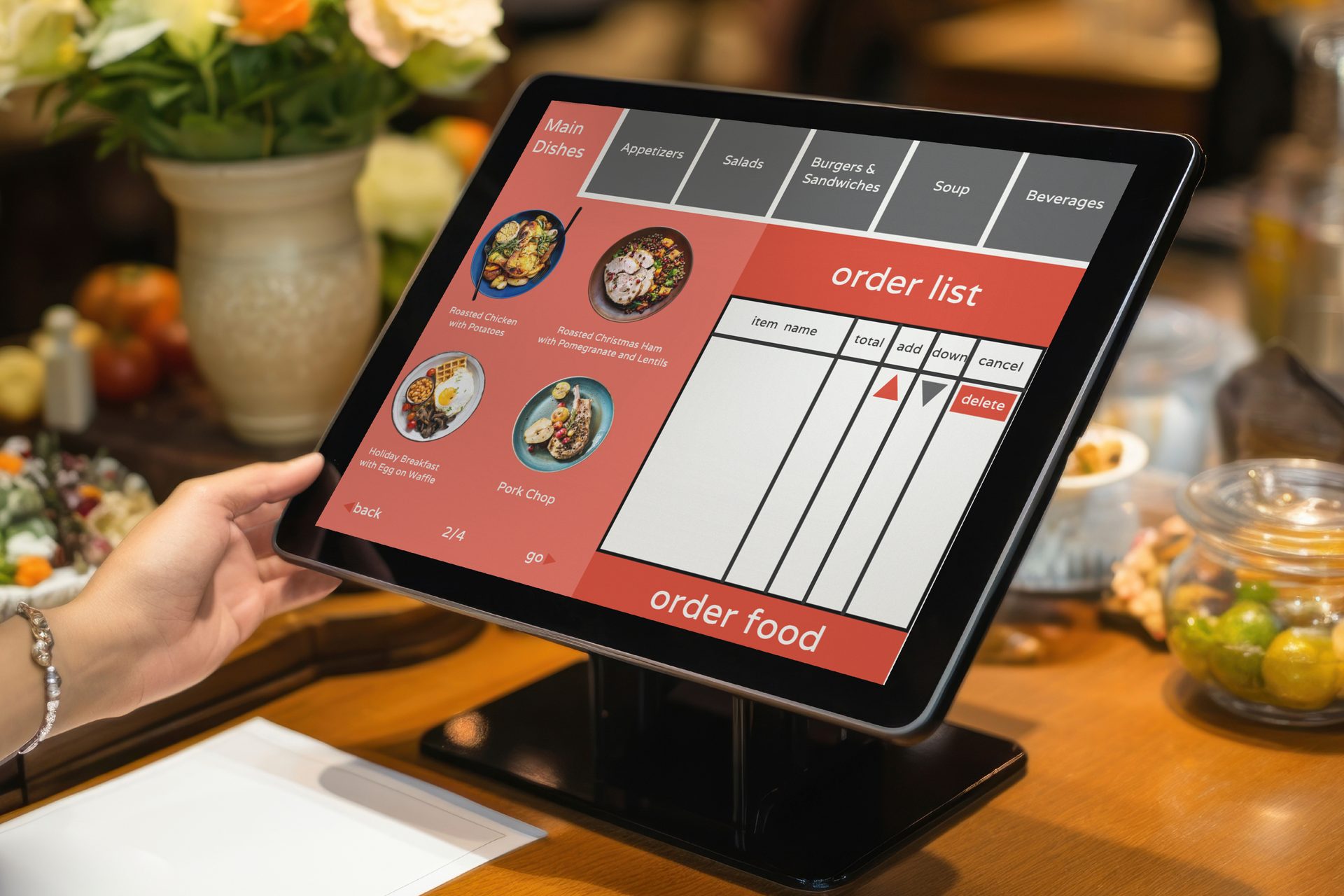
Run multiple delivery brands, manage orders from every connected aggregator and coordinate kitchen operations through one platform.
Every Delivery Order in One Workspace
Real-time sync from every major aggregator without switching tabs.
Order #4521 via Uber Eats
‘Burger Ghost’
- 2x Classic Smash Burger
- 1x Truffle Fries
- 1x Soda
Status: New. Prep Time: 10m
Order #8790 via DoorDash
‘Taco Virtual’
- 3x Street Tacos
- 1x Quesadilla
Status: In Progress. Prep Time: 5m
Order #3345 via Deliveroo
‘Salad Station’
- 1x Caesar Salad
- 1x Water
Status: Ready. Ready for Pickup
Sample orders, brands and figures shown for illustration. Marketplace names are shown as monograms and denote sample integrations.
Manage Multiple Brands from One Platform
Oversee your entire ghost kitchen portfolio. Track individual brand performance and switch between menus in seconds.
Burger Ghost
45 Active Orders
Taco Virtual
32 Active Orders
Salad Station
21 Active Orders
Sample brands and figures shown for illustration.
Send Every Order to the Right Kitchen
Intelligent routing sends each order to the correct prep station by brand and product type, so whether it's a burger or a salad it reaches the right team.
Step 1: Order Received
Unified entry from all delivery apps.
Step 2: Kitchen Assigned
Auto-routed by brand and product type.
Step 3: Preparation
Live KDS tracking for the culinary team.
Step 4: Ready
Status updated across all platforms.
Step 5: Pickup
Driver hand-off and fulfillment.
Actionable Insights Across Every Channel
Stop guessing. Use real-time data to optimize your labor and inventory.
- +12% versus the previous period
Active Orders
124
Currently in rotation across all brands
- -2m versus the previous period
Avg Prep Time
12m
Average time from order to ‘Ready’ status
- +24% versus the previous period
Revenue by Brand
$12k
Total sales processed today
Sample figures shown for illustration.
Engineered for Operational Excellence
Centralized Operations
Stop juggling tablets. Every brand and every aggregator feeds into one beautiful, easy-to-read dashboard.
Faster Processing
Reduce order-to-kitchen time by up to 40% with automated routing and instant aggregator sync.
Labor Coordination
Intelligent load balancing across stations ensures your kitchen team is never overwhelmed or underutilized.
Inventory Sync
One-click 86ing. Hide out-of-stock items across all brands and platforms instantly from one place.
Unified Reporting
Export clean, aggregated tax and accounting reports without the headache of manual reconciliation.
Enterprise Security
Role-based access control and detailed audit logs for large-scale multi-unit operators.
Sample figures shown for illustration. The “up to 40%” time reduction is an example, not a promise — real results depend on your kitchen, menu and the marketplaces you connect.
Frequently Asked Questions
It puts the orders from several delivery-only brands and several marketplaces onto one screen, so a kitchen running more than one virtual brand is not watching a row of tablets. This page names the pieces: a single order dashboard where every brand and every aggregator feeds into one view; automated routing that sends each order's items to the right station; load balancing so work is spread across those stations rather than piling onto one; one-click 86ing that hides an out-of-stock item across your brands and platforms from one place; aggregated tax and accounting export; and reporting over the top of all of it, with role-based access and audit logs for multi-unit operators. Two things are worth setting out before the rest of the answers. Every figure printed on this page is sample data used to show the shape of a screen — the order counts, the ticket times, the "up to 40%" on the benefits strip — and none of it is a projection of your results or a target. And the honest framing of the whole module is this: Vertex is a control surface over orders that arrive from marketplaces you connect. It shows and organises those orders and what your team does with them; it does not run the marketplaces, and most of what follows is really about that line.
That is a question for sales, and deliberately so, because the honest answer is "it depends on where you operate and which partner you mean", and any list printed on a marketing page would be out of date somewhere the day it shipped. Which marketplaces connect, in which countries, on what commercial terms, and whether a given connection is direct or runs through a middleware provider, is set per region and per partner, and those arrangements change as partners add, remove or rework their APIs. So rather than name marketplaces here and imply a promise we cannot keep in your market, we will point you at the sales team with the specific brands, countries and aggregators you actually use — that is a scoping question with a real, current answer, and it belongs with them in writing before you plan a rollout. What this page does show is the shape of the workflow once orders are flowing: one dashboard, routing to stations, 86ing across platforms. What it does not do is commit to any particular integration, and this answer will not either. Confirm your specific connections with sales, and get the list, the coverage and any limits in writing.
Order injection means an order placed on a marketplace lands in Vertex without someone re-keying it, and the routing then breaks the order into items that go to the stations that make them. When it is working, that is the difference between a printed ticket on a spike and a live queue your line can pace against. The part to be clear-eyed about is what it depends on: every injected order rides the marketplace's own API, and that connection is not yours to control. An API can rate-limit under load on a busy Friday, change without much notice, return an order late, or drop entirely while the partner has an incident — and when that happens the missing orders are missing at their end, not something Vertex can conjure. A sensible operation still watches the marketplace's own tablet or portal as a fallback and has a plan for a manual entry when a feed stalls, and this page states no specific uptime, retry behaviour or failover, so if that matters to you — and in a high-volume kitchen it does — ask sales exactly how the connection behaves when a partner's API misbehaves, and get it in writing. The other operator job the tool cannot do for you is parity. If a brand's menu, an item's price, a modifier or an availability differs between two marketplaces, that difference has to be maintained by you across each connected platform; Vertex can push a change and 86 an item across platforms from one place, but it is applying what you set, and a marketplace that is slow to accept an update, or that holds its own separate copy of your menu, can still show a guest something you have already changed.
The benefits strip on this page says you can "reduce order-to-kitchen time by up to 40%", and the right way to read that is as a sample figure showing the kind of improvement automated routing is meant to produce — not a number we are promising you will hit. Whether you see anything like it depends on how many tablets you are replacing today, how your stations are laid out, how your team works a rush and how the marketplaces behave, and we are not going to put a percentage on your kitchen from a web page. The same caution applies, more firmly, to money. Running several virtual brands from one kitchen can make better use of a line that already exists, and a single dashboard can take friction out of a busy service — but nothing here promises more orders, higher revenue, a better ranking on any marketplace, or a lower commission. Order volume is decided by the marketplaces, by your menus and pricing, by your reviews and by your market; commission is set in your agreement with each marketplace and is not something a POS changes; and a ranking is the marketplace's own algorithm, which no third-party tool controls. What Vertex offers is operational: fewer screens, orders routed to the right station, availability changed in one place. Treat every figure on this page as illustration, and treat any tool that guarantees you more orders or a lower commission with real suspicion.
The idea is that availability is set once and reflected everywhere it needs to be, rather than chased across a row of devices. When an item runs out, one action marks it unavailable, and Vertex pushes that across the brands and platforms it is connected to, so the same sold-out dish stops being orderable under each virtual brand it appears in. On the kitchen side, routing decides which station sees which items and load balancing spreads the work, so a rush on one brand does not silently bury a single station while another stands idle — the point of the station view is to make that visible. Two honest caveats. First, 86ing across platforms is only as fast as the platforms accept it: Vertex sends the change, but a marketplace applies it on its own timing and against its own copy of your menu, so there can be a short window where a guest still sees an item you have just pulled — worth knowing before you promise a customer it is impossible to order something that is out. Second, the same item under two brands is still two menu entries you maintain; the tool can act on both at once, but you decide what maps to what, and a mapping that is set up loosely will 86 the wrong thing. As with everything on this page, the availability figures and item counts in the mockups are sample data, not a description of your menu.
No, and please treat any system that claims to with real suspicion. A cloud or ghost kitchen is still a food business, and the obligations that come with that — food-hygiene and safety standards, allergen declaration and labelling, packaging and labelling law, the licences and registrations your premises and your delivery operation need, and whatever a marketplace additionally requires of a brand listed on it — are set by your jurisdiction and your regulators, they differ between countries and often between cities, and they change. You will not find a rule, a threshold, a temperature, an allergen list or a licence condition stated as fact anywhere on this page or in this answer, because stating one would be wrong somewhere and possibly wrong where you are. Vertex does not monitor those rules, does not update itself when they move, does not verify that a menu's allergen information is correct or complete, and does not make your kitchen or your packaging compliant. What it can do is hold records that make your own compliance work less painful — a menu that lives in one place across brands, availability and 86ing you can trace, order and reporting history, and access controls and audit logs over who did what — which is a better starting point for an inspection, a recall or an internal review than notes across several tablets. That is a book-keeping benefit and a real one. It is emphatically not the same as being compliant, and the gap between them is filled by your team, your procedures and professional advice. Deciding what you are required to do, keeping allergen and labelling information correct, holding the right licences and training your staff stays with you and your food-safety adviser. If a specific obligation has to be met by the software itself, put that to sales as a written requirement, in the terms your own regulator uses, before you rely on it.

Ready to run every brand on one screen?
Tell us how your kitchen really works — how many virtual brands you run, which marketplaces your orders come from, how your stations are laid out, what a Friday rush looks like — and we will show you what Vertex would pull onto one dashboard and what it would still leave to your team and your marketplaces, before you commit to anything.