
Salary Summaries
Consolidated view of base pay across all staff tiers and locations.
Browse by
Take Orders
6 featuresSee Vertex POS in Action
Explore how Vertex manages ordering, inventory, kitchen, payments and customer engagement all in one platform.
Book DemoGrow your business by reselling or integrating with Vertex. Partner with us
Browse by
Fine Dining
4 featuresFind Your Perfect Fit
Whether you run one outlet or five hundred, Vertex adapts to your service model.
Talk to an ExpertBrowse by
Learning
4 features2025 Restaurant Tech Guide
Download our definitive 40-page guide to choosing, implementing and scaling restaurant technology.
Download FreeBrowse by
Company
4 featuresBecome a Vertex Partner
Grow your business by reselling or integrating with Vertex.
Apply NowLearn More
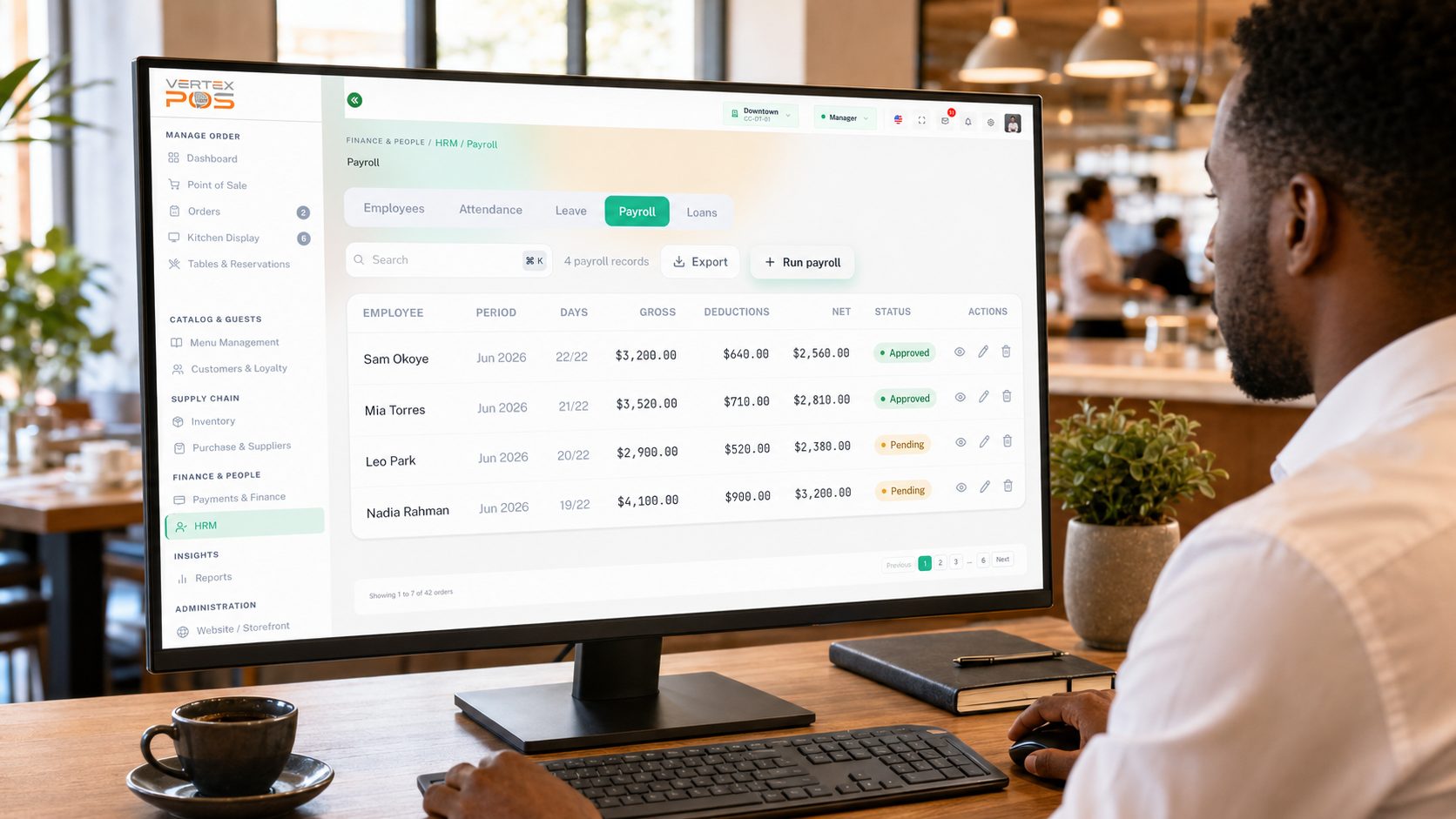
Bring salary, commission and approved attendance summaries into one clear payroll workflow. Built specifically for the high-pressure demands of modern culinary operations.
Consolidated view of base pay across all staff tiers and locations.
Automated calculation of server and sales performance incentives.
Real-time tracking of clock-ins with automatic exception flagging.
Export-ready CSV and PDF files formatted for your bank or HRM.
Get a high-level pulse on your operational costs with real-time metric tracking.
Stop manual spreadsheets. Our engine automatically applies a flat 3% or custom tiered rates on eligible sales directly from your POS data.
Example commission calculation at a flat 3% rate.
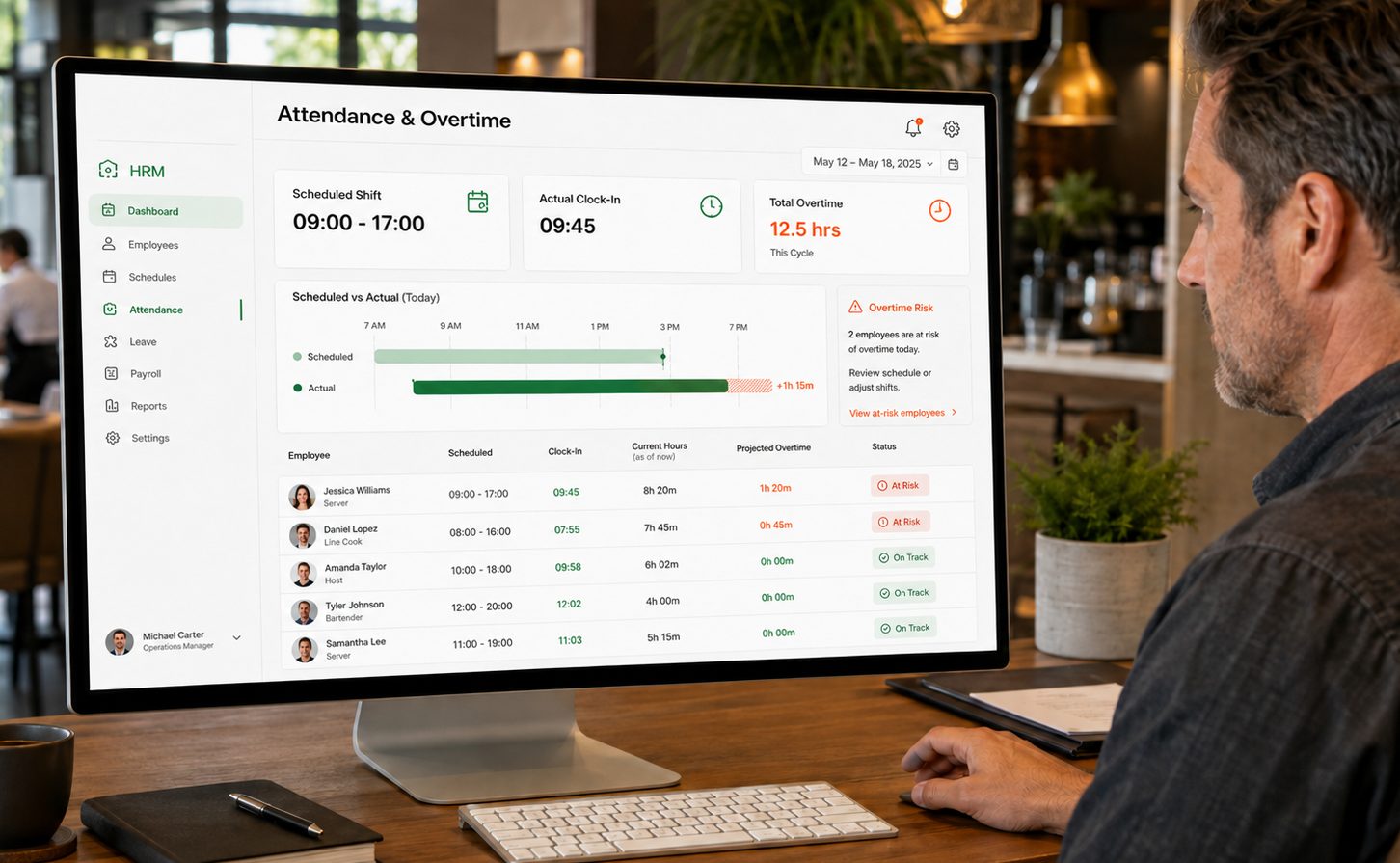
Auto-sync of hours and daily sales data.
Resolve exceptions and approve commissions.
Generate bulk payouts and staff notifications.
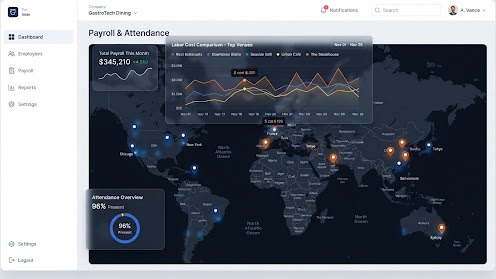
Compare payroll activity across multiple locations. Identify labor cost anomalies and standardize compensation across your entire restaurant group.
| Outlet | Payroll total |
|---|---|
| Downtown Bistro | $12,450.00 |
| Uptown Kitchen | $18,200.00 |
| Harbor Grill | $9,800.00 |
Sample figures shown for illustration.
It brings salary, commission and approved attendance summaries into one workflow rather than three spreadsheets. You get a consolidated view of base pay across staff tiers and locations, automated calculation of server and sales incentives, real-time clock-in tracking with exception flagging, and export-ready CSV and PDF payroll reports formatted for your bank or HRM. What Vertex does not do is decide what anyone should be paid: pay rates, allowances, deduction types and the rules behind them are yours to configure, and Vertex is a calculation and record-keeping tool rather than a tax-filing service or a substitute for your accountant or payroll provider.
No — and any tool that claims otherwise should be treated with suspicion. Vertex is designed to help you configure and apply your own rules consistently, and to keep the underlying hours, commission and pay records in one auditable place, which is usually what you need when someone asks you to evidence a figure. It does not interpret employment legislation, minimum wage or overtime law, working-time limits, statutory deductions or filing obligations on your behalf, and none of those are pre-set in the product because they differ by jurisdiction and change over time. Deciding what applies to your staff, configuring the rules to match and confirming your position remains your responsibility together with your accountant, payroll provider or employment adviser.
From your POS data, so nobody rebuilds the numbers by hand at the end of the cycle. The engine applies the rate structure you configure against eligible sales — either a single flat rate or custom tiered rates — and the worked example shown on this page uses a flat 3% on $12,500.00 of eligible sales to illustrate the shape of the calculation, not a rate we set for you. You define which sales count as eligible, which staff or roles a structure applies to, and where the tier boundaries sit. Commissions are surfaced for approval during the review step rather than being pushed straight through, so a structure that was misconfigured is something you can catch before it reaches a payslip.
Clock-ins are tracked in real time and compared against the shift that was scheduled, so the attendance view shows scheduled versus actual hours, current hours worked and projected overtime for the cycle, with exceptions flagged automatically and at-risk employees surfaced for review. Treat those flags as prompts to look at a schedule, not as a legal determination — the thresholds behind them are the ones you configure, and whether a given pattern of hours is permissible under your local working-time and overtime rules is a judgement for you and your adviser, not something the flag settles. If you choose to capture clock-ins using a biometric method such as a fingerprint or face scan on your own hardware, be aware that biometric data is special-category personal data under the GDPR and comparable regimes: it generally requires an explicit lawful basis, clear notice and a workable non-biometric alternative for staff who decline. That obligation sits with you as the employer, and using Vertex to store the resulting attendance records does not discharge it.
Three stages. Preparation auto-syncs hours and daily sales data into the cycle. Review is where you resolve flagged exceptions and approve commissions, and each payroll record carries a status — Pending until it is approved — so it is visible who has signed off what. Finalization generates bulk payouts and staff notifications. The review stage exists deliberately: automation removes the re-keying between attendance, sales and pay, but the output is still a draft that someone accountable should read before approval, and we make no claim that a run will be free of errors or that it removes the need for that check. The actual movement of money happens through your bank or payroll provider using the exported reports, not inside Vertex.
Yes. Payroll activity can be compared across multiple locations from a single view, with total payroll for the period, per-venue totals and a labour-cost comparison across your top venues, which is what you need to spot an anomaly in one kitchen or to standardise compensation across a group. The venue names and figures shown on this page are illustrative sample data. As with the attendance flags, a cost anomaly is a signal worth investigating rather than a conclusion — and where outlets sit in different jurisdictions, each one's pay rules, deductions and reporting obligations still need to be configured and verified separately for that location.

See how Vertex turns clock-ins, shifts, overtime and commissions into a pay run your team can review, adjust and approve, outlet by outlet.