Partial Receiving
Receive exactly what arrives. Vertex tracks the backordered balance automatically and updates the pending quantity without manual re-entry.
Tomatoes (Vine)
40/60 Units
Browse by
Take Orders
6 featuresSee Vertex POS in Action
Explore how Vertex manages ordering, inventory, kitchen, payments and customer engagement all in one platform.
Book DemoGrow your business by reselling or integrating with Vertex. Partner with us
Browse by
Fine Dining
4 featuresFind Your Perfect Fit
Whether you run one outlet or five hundred, Vertex adapts to your service model.
Talk to an ExpertBrowse by
Learning
4 features2025 Restaurant Tech Guide
Download our definitive 40-page guide to choosing, implementing and scaling restaurant technology.
Download FreeBrowse by
Company
4 featuresBecome a Vertex Partner
Grow your business by reselling or integrating with Vertex.
Apply NowLearn More
Manage supplier records, purchase orders, receiving, returns and payment terms across every restaurant location in one place.
Real-time procurement visibility for group operations.
Streamline your vendor onboarding with digital document collection and automated catalog syncing.
One single source of truth for all supplier contacts, contracts, and compliance docs.
Automatically update SKU pricing and availability via direct EDI or spreadsheet uploads.
Evaluate suppliers based on delivery accuracy, timeliness, and price stability metrics.
Stop losing money on missing items or overcharged invoices. Manage variances and returns in real time at the loading dock.
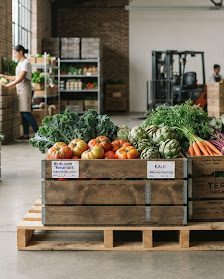
Receive exactly what arrives. Vertex tracks the backordered balance automatically and updates the pending quantity without manual re-entry.
Tomatoes (Vine)
40/60 Units
Get an alert as soon as an invoice price differs from the PO. Flag the line for manager approval or raise a supplier credit note from the same screen.

Price Variance Detected
+$12.00 difference from PO
Damaged goods? Wrong item? Generate return notes and attach photos straight from the app, so your ledger and the supplier's stay in step.
Sample receipts, items and figures shown for illustration.
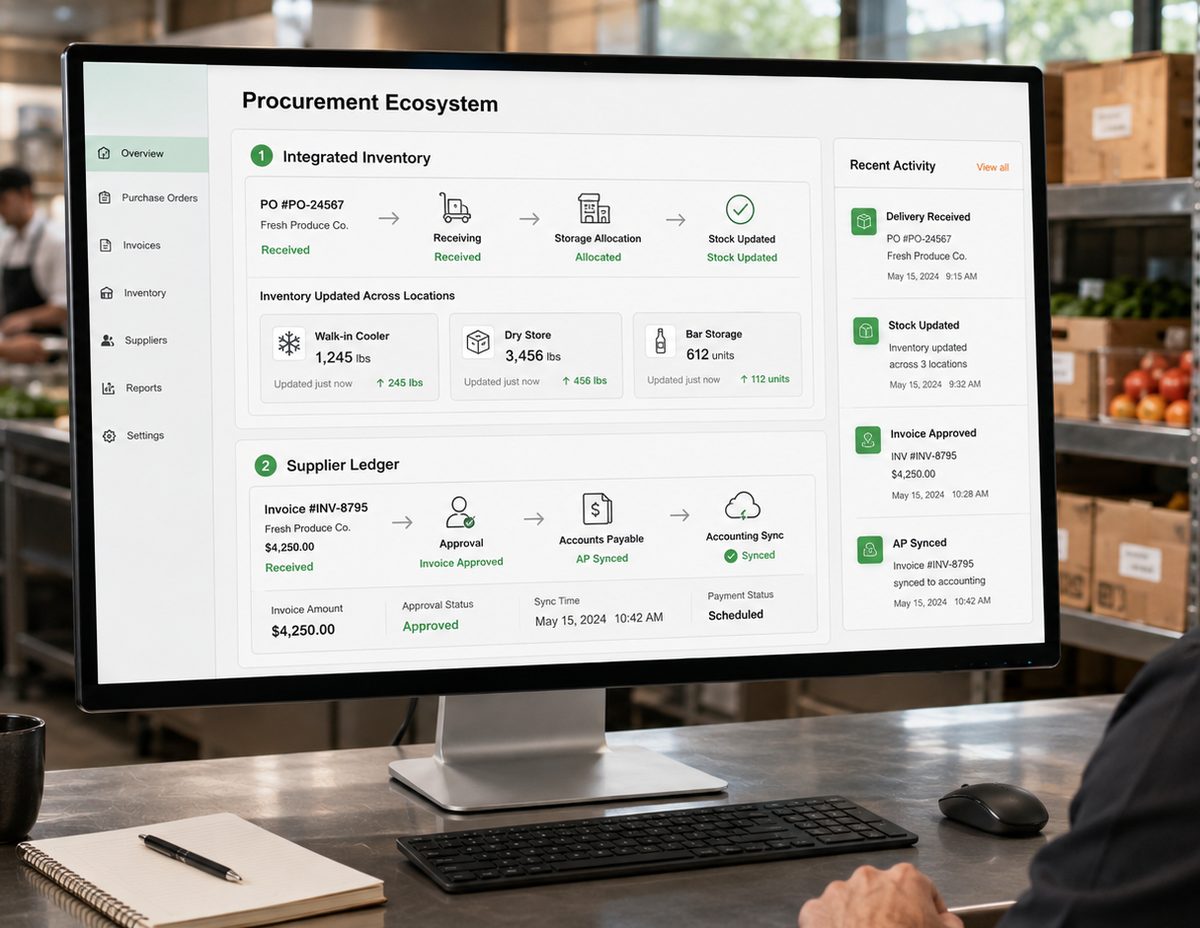
Procurement doesn’t happen in a vacuum. Vertex bridges the gap between receiving and storage, so your inventory values stay accurate as stock moves.
One record, end to end
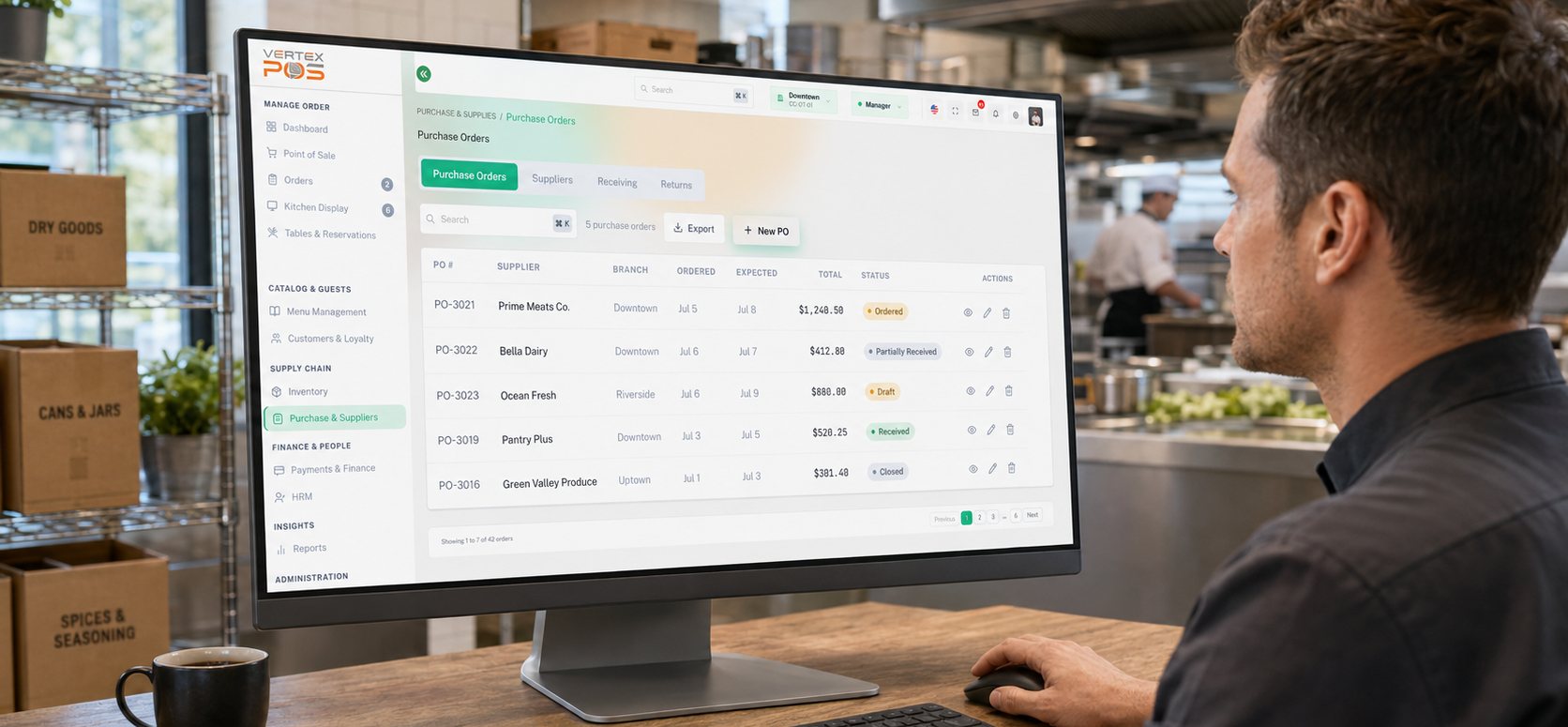
Supplier records, purchase orders, receiving, returns and payment terms in one place rather than spread across a shared drive and a WhatsApp thread. A central supplier master holds contacts, contracts and compliance documents; purchase orders are raised and tracked through approval; deliveries can be received in part; and returns are recorded against the order they came from. The Purchase Orders view lists each PO by number, supplier, branch, order and expected date, total and status — Draft, Ordered, Partially Received, Received or Closed — so the question "where is that order" has one answer instead of three. The dashboards and supplier names shown on this page are illustrative sample data.
You configure who may raise a purchase order and who has to sign it off, and Vertex routes the order to that person and records what they did and when. It is worth being precise about the division of labour: the approval decision is a human one. Vertex does not judge whether a price is reasonable or an order is justified — it makes sure the order cannot quietly pass the approval step without someone accountable putting their name to it, and it keeps that trail attached to the PO for later. If your thresholds or reporting lines change, you change the workflow; the rules are yours rather than ours.
Item catalogue sync updates SKU pricing and availability either from a direct EDI feed, where a supplier is able to provide one, or from spreadsheet uploads where they are not — in practice most kitchens will use a mix of the two, and a supplier who sends a PDF price list is still a spreadsheet upload. Onboarding collects supplier documents digitally alongside the catalogue. Performance scoring then rates suppliers on delivery accuracy, timeliness and price stability, calculated from the orders and receipts you record, so it reflects your own history with that supplier rather than an external rating. One clarification on the compliance documents held in the supplier master: Vertex stores them, shows you what is on file and can flag an expiry date you have entered, but it does not verify a certificate, assess a supplier against food-safety requirements or make you compliant. It supports the due-diligence process you already run — the checks, and the judgement about whether a supplier is acceptable, stay with you.
Receiving is built for the delivery that turns up rather than the one that was ordered. You receive exactly what arrived — 40 of 60 units of vine tomatoes, say — and the outstanding balance is tracked as a backorder against the same PO without anyone re-keying the order. If the invoice price differs from the agreed PO price, that variance is flagged at the point of receipt and routed for manager approval or a supplier credit note. Damaged or wrong items are recorded as a purchase return with notes and photos taken in the app. What Vertex does here is catch the discrepancy while the driver is still on the dock and hold the evidence in one place; the conversation with the supplier, the credit note itself and the settlement of a dispute are human processes that happen off-platform and get recorded back against the order.
Received items update stock levels across your storage locations — walk-in, dry store, bar — as the delivery is booked in, so receiving and inventory are not two separate pieces of data entry. Approved supplier invoices can be synced to your accounting software for accounts-payable handling rather than being re-typed there. We would rather not oversell the result: the figures are as good as what is recorded at the dock, and a mis-scanned item or an unrecorded wastage will still put your stock value out, so treat this as removing re-entry and the errors that come with it, not as a promise of a perfect inventory valuation. On the finance side, Vertex records purchase documents; it is not a tax engine. How VAT or GST is treated on a purchase invoice, what a compliant invoice must contain, how long you must retain it and whether it has to pass through a government e-invoicing channel varies by jurisdiction and changes over time. Those fields are configurable so you can match local practice, but confirming your position remains yours to settle with your accountant or tax adviser.
Yes. Every purchase order carries the branch it belongs to, and the purchasing view can be filtered to a single outlet or read across the group, so a head office can see what Downtown, Riverside and Uptown have on order and what is still outstanding without ringing round for it. Suppliers, catalogues and approval rules are configured centrally and applied per location, which is what you need when one kitchen buys produce daily and another orders weekly. Where outlets sit in different jurisdictions, each one's tax treatment, invoice requirements and supplier terms still need to be configured and checked for that location.

See how Vertex gives your team one place to raise purchase orders, route approvals, receive against what was ordered and keep supplier terms and price history close at hand.