
Device Health
Real-time monitoring for all kiosk terminals. Get instant alerts if a device goes offline or runs out of paper.
Browse by
Take Orders
6 featuresSee Vertex POS in Action
Explore how Vertex manages ordering, inventory, kitchen, payments and customer engagement all in one platform.
Book DemoGrow your business by reselling or integrating with Vertex. Partner with us
Browse by
Fine Dining
4 featuresFind Your Perfect Fit
Whether you run one outlet or five hundred, Vertex adapts to your service model.
Talk to an ExpertBrowse by
Learning
4 features2025 Restaurant Tech Guide
Download our definitive 40-page guide to choosing, implementing and scaling restaurant technology.
Download FreeBrowse by
Company
4 featuresBecome a Vertex Partner
Grow your business by reselling or integrating with Vertex.
Apply NowLearn More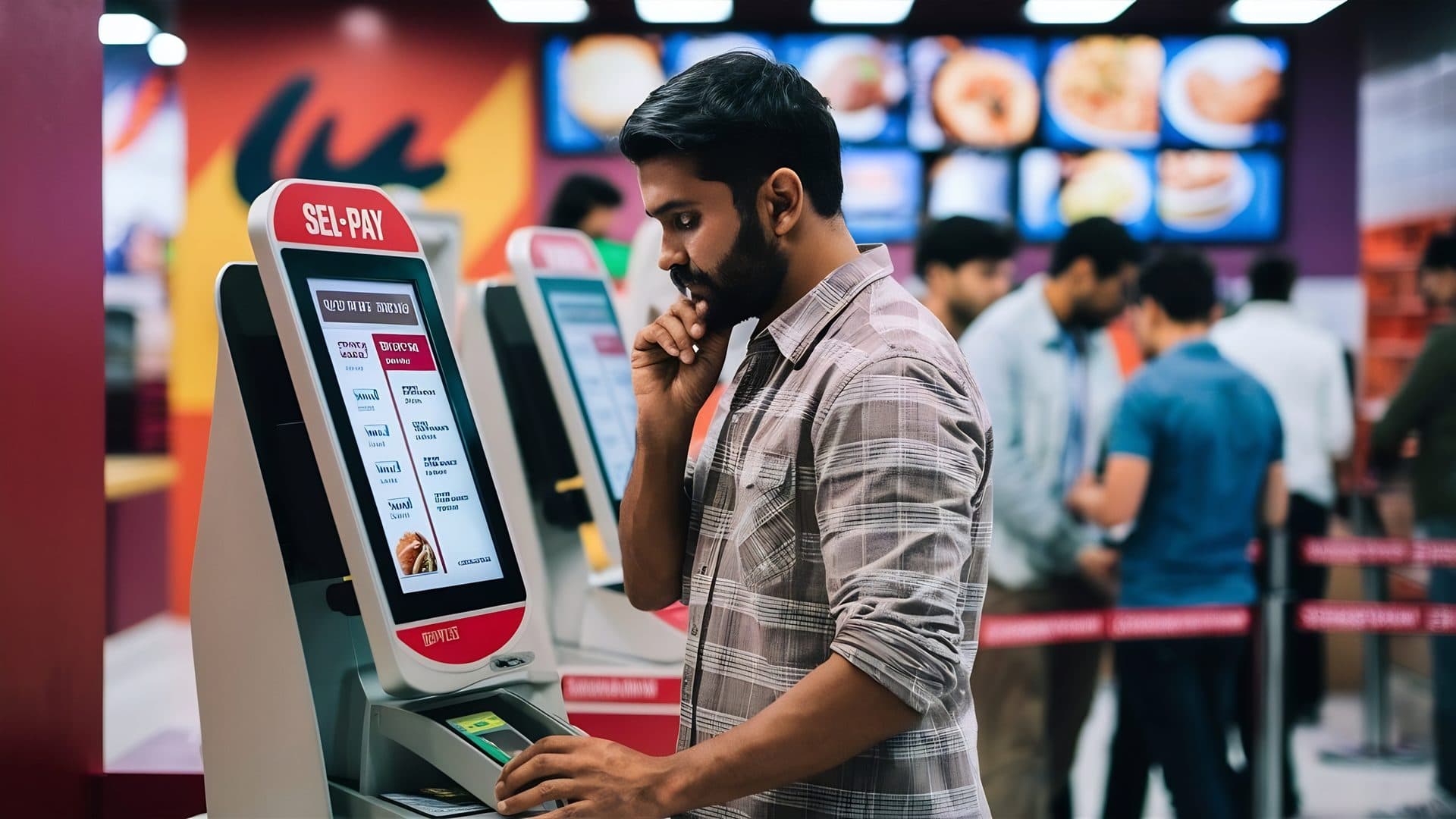
Let guests browse the menu, customise meals, pay securely and send orders straight to the kitchen — all from a self-service kiosk.
Sample brand names shown for illustration. These are not Vertex customers and imply no endorsement.
Crisp imagery and intuitive categories that make browsing effortless for guests.
Automatically guide customers through customizations and add-ons with ease.
Seamless chip, tap, and mobile wallet payments directly at the kiosk terminal.
Orders flow directly to the KDS, reducing manual entry errors and prep time.
A simple six-step flow, from the first tap on the menu to the ticket landing in the kitchen.
You decide which “Frequently Bought Together” items and “Meal Upgrades” the kiosk offers, and where in the order they appear. The prompt runs itself, so nobody has to ask across the counter.
Frequently Bought Together

Crispy Fries
+$3.50

Large Soda
+$2.00
Sample items and figures shown for illustration.
Integrated with leading payment providers to accept major credit cards, Apple Pay, Google Pay, and gift cards at the kiosk.
Which cards and wallets a kiosk can take depends on your payment provider and on the market you operate in.
Orders route from the kiosk to the kitchen display without manual re-entry.
How quickly a ticket lands depends on your network and on each station being switched on and connected.
Our kiosk platform supports 15+ languages natively, allowing international guests to order with confidence. Switch languages instantly with a single tap on the home screen.
Hello
Hola
Bonjour
Ciao
Sample greetings shown for illustration.
Monitor performance and revenue from your central hub.
Sample figures shown for illustration. Kiosk revenue is the orders and average order value shown, multiplied together.
Guests can scan their loyalty QR codes to earn points or redeem rewards directly at the kiosk terminal.
Real-time monitoring for all kiosk terminals. Get instant alerts if a device goes offline or runs out of paper.
Update prices or 86 items instantly across all kiosks with a single click from your management dashboard.
A customer-facing ordering screen and the plumbing behind it. The page lays out the shape of it: a menu with item photography and categories, modifier and add-on prompts as a guest builds an item, suggested extras before checkout, payment taken at the screen, and the finished ticket handed to your kitchen the same way a counter order would be. The ordering process section names the six stages a guest moves through — browse the menu, customise an item, add extras, review the cart, pay, and send to the kitchen — and the kitchen diagram names the path the order takes after that: customer, kiosk, POS, KDS, preparation, ready. Alongside it sit the operator-side pieces the related cards describe — loyalty scanned at the terminal, menu and price changes pushed out from your management dashboard, and a monitoring view of the terminals themselves. Two things are worth setting out before the rest of the answers, because most of what follows depends on them. First, every number printed on this page is sample data used to show the shape of a screen: the 1,284 orders, the $24.50 average order value, the 32.8% upsell conversion, the $31.2k kiosk revenue, the $3.50 fries and the $2.00 soda in the upsell mock-up. None of it is a projection of your results, none of it is a target, and none of it came from a named venue. Second, a kiosk is a physical object standing in your dining room. Software decides what the screen shows; your floor plan, your power and network runs, your cleaning routine and the number of screens you buy decide most of what a guest actually experiences. We would rather say that at the top than have you find it out after the install.
We are not going to promise you either, and you should be wary of any kiosk vendor who does. Take them one at a time. On queues: a kiosk moves the ordering step off your counter, so a guest who knows what they want can start ordering without waiting for a member of staff to be free. That is a real structural change. What it is not is a guarantee of a shorter wait, because a queue forms wherever the narrowest point in your service is, and installing screens moves that point rather than removing it. If you put in two kiosks and forty covers arrive at once, forty people queue for two screens. If ordering speeds up but the kitchen is already at capacity at one o'clock, the queue reappears at the collection point instead of at the till. And a first-time guest reading an unfamiliar menu on a screen can take longer than a regular saying "the usual" to someone who knows them. How many screens you need, where they stand, and whether they help at your busiest twenty minutes are questions about your specific room and your specific rush — worth modelling with your sales contact against your own cover counts before you decide on a number, not something a marketing page can answer. On order value: this page says the upsell engine increases "ticket sizes by up to 25% without staff intervention", and the analytics section shows a sample average order value of $24.50 with a +$4.20 movement beside it. We are not repeating either as something you will get. "Up to" is not a forecast, the $24.50 is invented sample data, and the honest mechanism is narrower than the headline: a screen offers the same add-on to every guest at the same moment without getting tired, embarrassed or busy, which is a genuine consistency advantage over a human at a rush. Whether that consistency shows up as more money depends on your prices, your margins, what you choose to suggest and whether your guests want it. There is also a cost on the other side of the ledger that this page does not mention: kiosks are hardware you buy, site, power, network, clean and eventually replace, and someone still has to help the guest who gets stuck. Ask sales for a written breakdown of that side too, and do the arithmetic on your own numbers.
We cannot tell you that it does, and we are not going to imply it. This matters more here than almost anywhere else in the product, because a self-service terminal in a public dining room is a customer-facing point of service, and in many markets that puts it inside accessibility law — the ADA and its accompanying standards in the United States, the European Accessibility Act and its national transpositions across the EU, and equivalent regimes elsewhere. The scope of those rules, the dates they bite, who they exempt and what evidence they expect differ by jurisdiction, and they change. You will not find a standard, a conformance level, a screen height, a reach dimension or a compliance date stated as satisfied anywhere on this page or in this answer, because stating one would be wrong somewhere and possibly wrong where you are. What we can be concrete about is where the responsibility actually sits, which is in more than one place. A meaningful part of kiosk accessibility is physical and is decided at install, not in software: how high the screen sits, whether a guest using a wheelchair can reach every part of it, how far it protrudes into a circulation route, whether there is knee clearance, whether the approach is clear, whether there is glare on the display, whether audio output and a headphone connection are present, and whether a tactile or non-touch input path exists at all. Those are properties of the enclosure, the mount and the room, and this page names no enclosure, no screen size and no mounting hardware — so ask sales, in writing, exactly what the hardware you are being quoted provides against each of those points, and get the answer before you sign. The software side — text sizing, colour contrast, touch-target size, timing behaviour, focus order, alternative text on menu imagery, whether a screen-reader or audio-guided path exists and how a guest starts it — is a fair set of questions to put to us in the same written form, and the correct way to ask is against the specific standard your regulator applies rather than in general terms. Two things we would say plainly. Vertex does not certify your kiosk deployment, does not audit your install and does not monitor whether the rules in your market have moved. And whatever the terminal supports, an accessible service is not only a device: staff being available to take an order from someone who cannot or does not want to use the screen is part of it, and in several jurisdictions an alternative to the machine is itself an expectation rather than a courtesy. Treat this as an area to scope with your own accessibility adviser and your own legal counsel, against your own jurisdiction, before you commit — not as a box this page ticks for you.
Separate the two halves, because they behave very differently and the page's headline covers both. The first half is the interface — the buttons, the prompts, the cart, the checkout wording, the on-screen instructions that are the same in every venue. Those are shipped strings, and the language section on this page describes a guest switching between them with a single tap on the home screen, with chips showing English, Spanish, French, Chinese and Arabic and a "+10 more". Read those chips as illustrative of the idea, not as a specification: this page's own wording is "15+ languages", it names five of them, and it is a marketing page rather than a product manifest. If a specific language has to be there on day one — and if you are opening in a market where it does, you already know which one — ask sales for the current list in writing and confirm your language is on it before you buy, rather than inferring it from a chip. The second half is your menu, and this is the part operators are most often surprised by: your item names, your descriptions, your modifier labels, your allergen wording and your promotional copy are your content, and translating them is normally work you supply. A system can hold a Spanish description against an item and show it when a guest selects Spanish; it does not know what your dish is called in Spanish, and nothing on this page claims it writes that for you. Plan the translation as a real content task with a real owner — including the unglamorous parts, like keeping the second and third language current when the chef changes a dish, which is where multilingual menus usually rot. Whether Vertex offers any assisted translation, and what it would cost, is a question for sales rather than an assumption to make from this page. Two smaller points worth raising in the same conversation. Right-to-left scripts such as Arabic are a layout question and not only a string question, so if you need one, ask to see it running rather than take it on a list. And a language a guest cannot find is a language you do not have — where the switcher sits and how obvious it is on the idle screen matters as much to a guest as the number of languages behind it.
More than the page suggests, and it is better to plan for it than discover it. Start with the physical facts. Each kiosk needs somewhere to stand that does not block a route or a fire exit, a power supply that is not an extension lead across a walkway, and a network connection — this page describes orders moving from the kiosk to your POS and on to the kitchen display, so the terminal is talking to something, and what happens to it when your connection drops mid-service is a question worth asking sales directly and getting answered in writing before you rely on it. Then the routine. A screen that hundreds of guests touch every day needs cleaning on a schedule, not when someone notices; if the kiosk prints, someone owns the paper, and the Device Health card on this page is explicit that a terminal can run out of it. Screens need to be woken, checked and looked at before service the way a till is. The monitoring view is genuinely useful here — knowing a terminal has gone offline before a guest tells you is a real improvement on finding out at the counter — but an alert is a prompt for a person to go and look, not a repair. Then the people. This page says orders move from kiosk to kitchen "with zero human intervention", and that is fair about the data path and misleading about the dining room. Guests get stuck, cards decline, an item is out, a group of four wants to order together, someone would simply rather talk to a person, and somebody has to hand the food over at the end. Plan for a member of staff who owns the kiosk area at busy times, particularly in the first weeks — the venues that get the least out of self-service are usually the ones that treated it as a headcount reduction on day one. We do not claim kiosks reduce your labour, and nothing on this page supports that claim. Last, the number of screens. One kiosk is a pilot, not a service model: if the ordering step is now on the machines and there are too few machines, the queue simply forms in front of them. Work out how many you need from your own peak-cover counts with your sales contact, and expect to move them once you have watched real guests use them.
The tiles measure kiosk activity, and they are worth reading narrowly. The four on this page — orders today, average order value, upsell conversion and kiosk revenue — count what the terminals recorded: how many orders were completed on a screen, the average value of those orders, how often an offered add-on was accepted, and the money those orders represent. Every figure shown on this page is sample data, as above, and the small green deltas beside them are part of the mock-up rather than a result anyone achieved. Two cautions about how to read them once your own numbers are in. They cover kiosk orders, so unless you are comparing them against your counter and other channels on the same basis, a rise on the kiosk tiles can be orders that moved between channels rather than orders that were added. And a movement in average order value or upsell conversion sits next to whatever else changed that week — a price rise, a new offer, the weather, a public holiday — so the tiles show you what happened and not why. They are a good place to notice something and a poor place to conclude something. On connection: the flow this page draws is kiosk to POS to kitchen display, so a kiosk order is an order in your system rather than a separate stream to reconcile at the end of the night, and the related cards describe menu and price changes pushed out to every terminal from your management dashboard and loyalty scanned at the kiosk so a guest earns or redeems in the same programme they use at the counter. What we will not do is imply the reporting is deeper than the page shows. This page names four kiosk tiles and a central hub; it does not specify a refresh interval, a retention period, an export format, an API or which reports the figures appear in elsewhere in the product. If a particular breakdown has to exist — per terminal, per daypart, per item, exported on a schedule, or joined to a report you already run — put it to sales as a written requirement and confirm it before you buy, rather than assuming it from a dashboard mock-up. And do not forget the ordinary caveat that applies to every count in this module: it measures what the terminals recorded. An order taken at the counter because the screen was busy is a counter order, however it started.

Tell us how your room really works — where a screen could stand, how many covers land in your worst twenty minutes, what your network and power runs look like, who would help the guest who gets stuck — and we will walk you through what Vertex would put on the kiosk, what it would leave to your team, and what the install actually involves, before you commit to anything.