
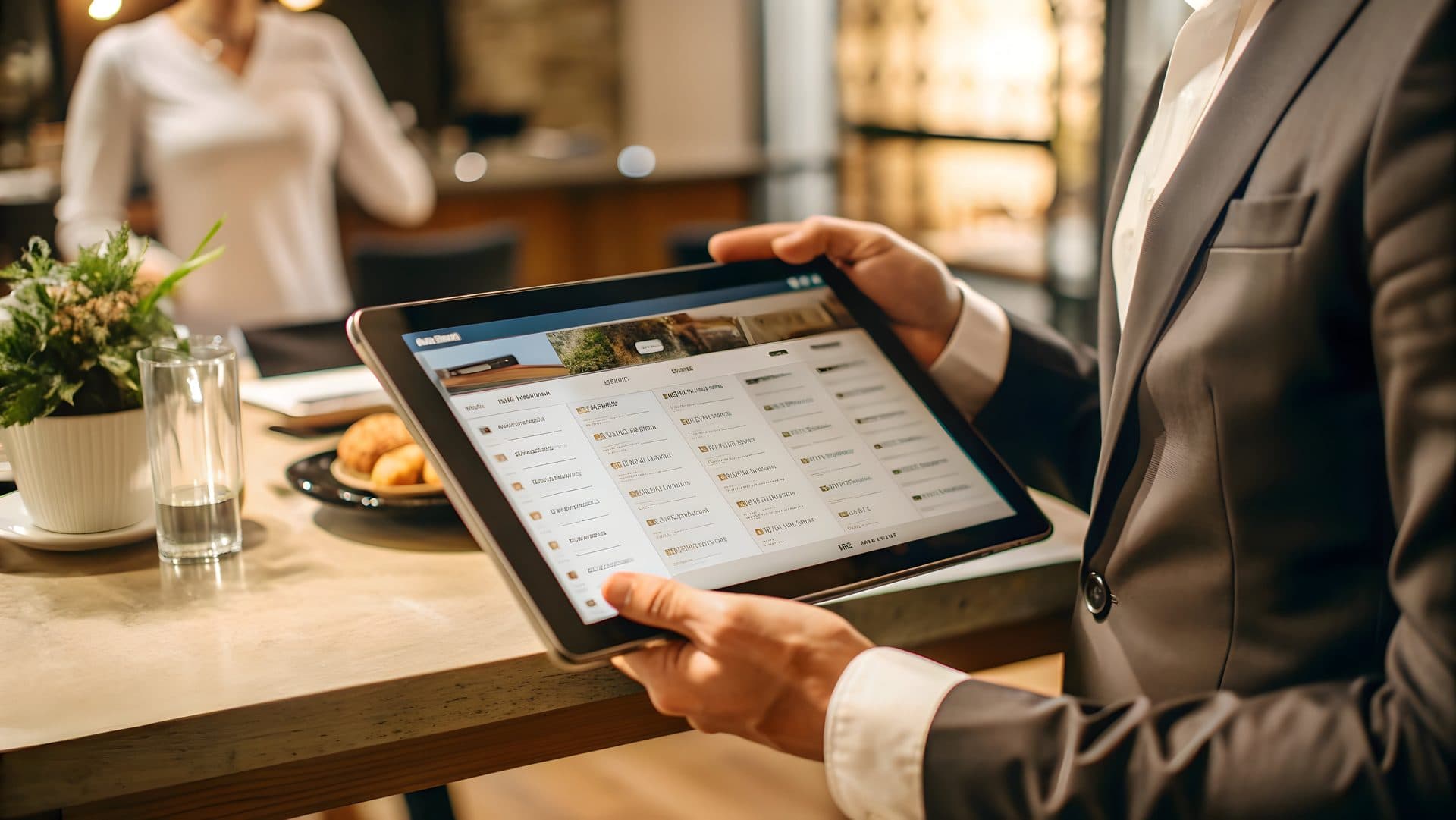
Online bookings with deposit and no-show protection.
Accept reservations, manage walk-ins and protect high-demand tables with configurable deposits, cancellation rules and guest communication.
242
Reservations Today
88% — 213 of 242 booked parties seated so far
Checked-In Parties
02 — parties that arrived after their booked time
Late Arrivals
$14,280 — 238 bookings at the standard $60 deposit
Deposits Collected
Sample figures shown for illustration.
- Online Booking
- Live Availability
- Deposits
- No-Show Rules
- Waitlist
- Guest Reminders
Frictionless availability searching
Our real-time engine accounts for table pacing, floor plans and turn times to show guests what is available for their party size — including high-value time slots that require a commitment.
Deposit Setup & Protection
Configure deposit rules in a few steps. Apply per-person fees for standard nights, or fixed amounts for special events and holidays.
Dynamic Pricing: Adjust deposits based on party size.
Automatic Refunds: Rules-based cancellation processing.
Vaulted Cards: Capture details without charging immediately.
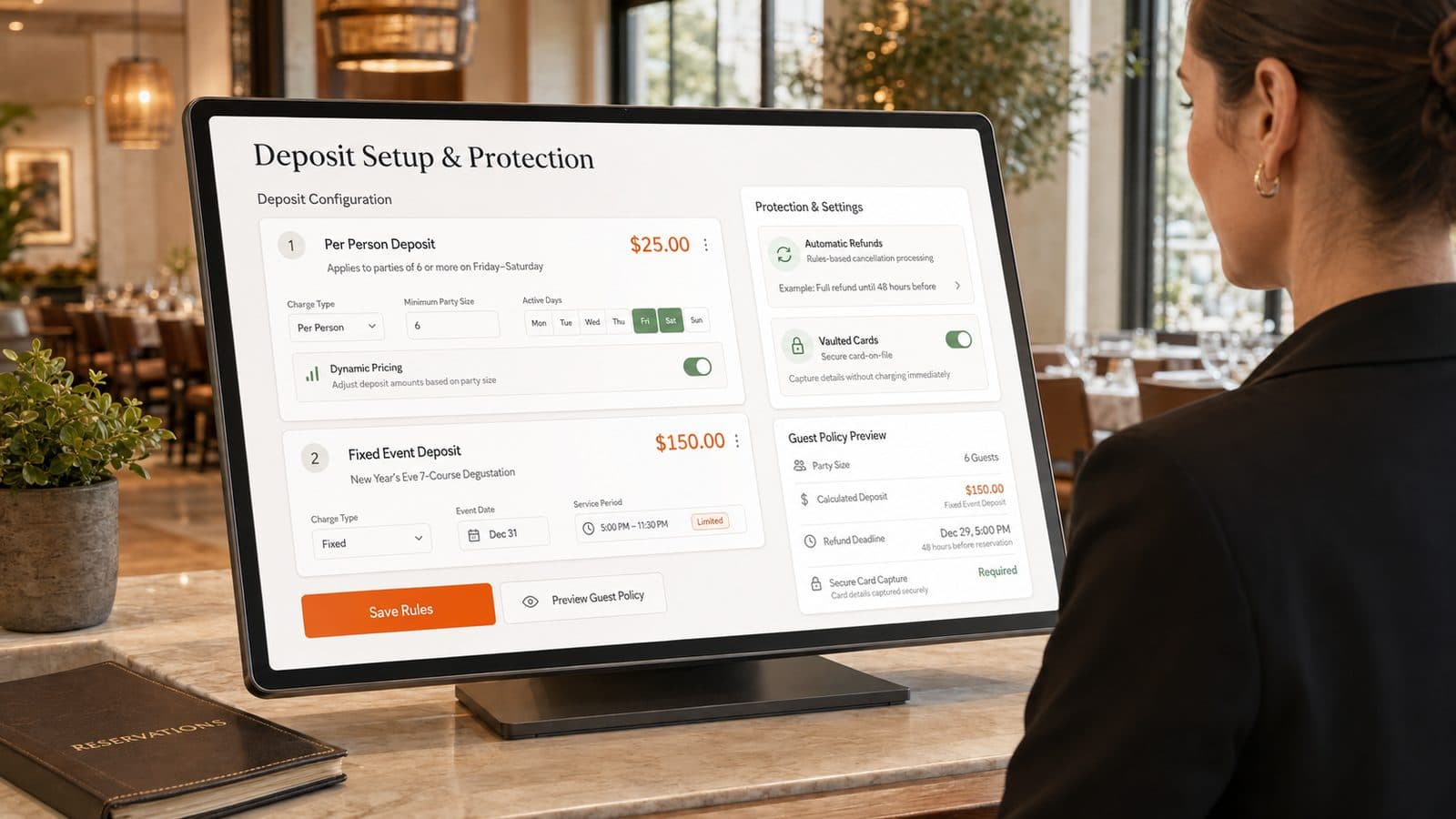
Sample times, dates, party sizes and figures shown for illustration. Deposit amounts, cancellation windows and refund terms are set by each restaurant.
The Professional Host Stack
Live Table Assignment
Real-time floor plan visualization. Tap to seat, drag to merge tables, and instantly see pacing alerts for the kitchen.
Floor right now
12 covers seated across 3 of the 4 tables shown.
Table 04
2-top · party of 2
Status: Dessert
Table 09
4-top · party of 4
Status: Main Course
Table 12
6-top · party of 6
Status: Pre-Course
Table 14
4-top · vacated
Status: Clearing, free in ~12 min
Sample figures shown for illustration.
Sample kitchen pacing alerts
- Table 12: Pre-Course
- Table 04: Dessert
Waitlist Intelligence
Quote accurate wait times based on historical turnover data. Automated SMS notifications keep guests nearby.
| Party | Quoted wait |
|---|---|
| Anderson (4) | 12m wait |
| Miller (2) | 25m wait |

Arrival & Check-In
Fast, 2-tap check-in process. Capture arrival times, flag VIPs, and notify servers immediately.
Sample guest profile
Anderson party (4)
Regular · 9 visits
- Allergy
- Tree nuts
- Seating
- Window banquette
- Occasion
- Anniversary
CRM & Preferences
Access guest history, allergies, and seating preferences directly from the booking. Personalized service, at scale.
Sample figures shown for illustration. Wait times are quotes generated from your own turnover history, not guarantees.
Confirm before you buy
Vertex surfaces the deposit and cancellation terms you have configured at the moment a guest books, then applies the rules you set.
Deposits shown before booking
The guest sees the deposit amount and the terms you have set before they confirm. Vertex takes the deposit you configure, on the bookings you choose to apply it to.
Cancellation window you set
You decide how much notice a guest needs to give, and what happens if they give less. Vertex applies the window you configure to the bookings it covers.
Example configuration: 24, 48 or 72 hours
Late arrival handling
Set a grace period for late arrivals and an automated check-in message. Vertex sends the reminder you have written by SMS at the point you choose.
Example configuration: “Are you coming?” at 15 minutes past
Sample figures shown for illustration. Deposit amounts, cancellation windows and grace periods are yours to configure, and Vertex applies the policy you set. Whether that policy is lawful and enforceable where you trade is for you and your legal adviser to confirm.
Frequently Asked Questions
Two connected jobs: taking a booking before service, and running the door during it. On the guest side there is an availability search that shows the service times you have opened, each one labelled with its state — a slot that requires a deposit, one marked high demand, one that is fully booked, one with a couple of seats left — and a deposit and policy layer that puts your terms in front of the guest at the point they book. On the house side there is a floor plan the host works from, with tap-to-seat and drag-to-merge for tables, a two-tap arrival check-in that records when a party actually turned up and flags VIPs, a waitlist showing each waiting party with its size and the wait time the host has quoted, and a guest profile carrying dining history, allergies and seating preferences from previous visits. Alongside that sit reminder messages and the policy configuration: a cancellation window, a late-arrival grace period, and a check-in message sent by SMS. Two things are worth setting out before the rest of the answers. First, every figure printed on this page — the reservation count, the checked-in percentage, the late-arrival count, the deposit total, the wait times against the two waiting parties, the deposit amounts on the configuration screen — is sample data used to show the shape of the screens. It is not a projection of your results and not a recommended setting. Second, this is a booking and coordination system. It records what your team and your guests enter, applies the rules you configure, and shows everyone the same picture of the room. It does not seat anyone, phone anyone or make a guest turn up, and the answers below are fairly specific about where that line falls.
No, and we would be wary of any supplier who told you otherwise. Vertex applies the policy you configure. You set whether a deposit applies and to which bookings, whether it is charged per person or as a fixed amount for an event, how much notice a guest must give to cancel, and what happens when they give less; the software then presents those terms to the guest at the point of booking, records what they agreed to, and processes cancellations against the rule you wrote. That is the whole of the mechanism. Whether the terms you write are lawful and enforceable where you trade is a different question, and it is yours to settle with a legal adviser rather than with us. Deposits, no-show charges and cancellation fees sit in consumer-contract territory: rules on unfair contract terms, on what counts as a genuine pre-estimate of loss rather than a penalty, on how prominently a term must be disclosed before it binds anyone, and on refunds and chargebacks all vary by jurisdiction and change over time. You will not find a lawful deposit amount, a safe cancellation window or a defensible fee stated anywhere on this page or in this product, because those are not ours to state. The specific figures the design prints — the 24, 48 and 72-hour options in the cancellation panel, the fifteen-minute late-arrival example, the per-person and fixed-event amounts on the deposit screen — are illustrative configuration values, chosen to show that the fields exist. Read none of them as a recommendation. The same caution applies to the payment side. This page shows a setting labelled "Vaulted Cards — capture details without charging immediately", and the phrases "all deposits are processed securely" and "no hidden platform fees for guests". Those describe the intent of the design. They do not say who holds the card details, which payment provider sits behind the capture, what is stored rather than referenced, or what certifications apply, and we are not going to fill that gap from a marketing page. Take it to sales as a procurement question and get it in writing — which provider processes your deposits, who is the merchant of record, what happens to card details when a booking is cancelled or a card expires — and have it reviewed before you go live rather than after. Nothing here should be read as a claim about card storage, tokenisation or payment-card compliance, or as a statement that using Vertex makes you compliant with consumer-protection, unfair-terms or payment law.
That is not a promise we will make, and it is not one the software could keep. A no-show is a decision a guest makes; a table turn is the product of your menu, your kitchen, your service style and how long people want to sit. Vertex does not seat a party, cook a course, clear a table or persuade anyone to arrive. What it can do is narrower and still worth having. It puts your terms in front of a guest before they confirm, so the commitment is explicit rather than assumed. It sends the reminder and the late-arrival message you have written, so a booking is less likely to be simply forgotten. It records who arrived, who arrived late and who did not come, so you have a factual history instead of an impression — and that history is what lets you decide whether a deposit policy is worth introducing, or whether the one you have is doing anything. And it keeps the host stand, the floor and the kitchen looking at the same picture of the room, so a table that has come free is visible to the person who can fill it. Whether any of that moves your numbers depends on your guests, your neighbourhood, your prices and how the policy is actually enforced by the person on the door on a busy Friday. We publish no no-show rate, no turn-time improvement, no cover uplift and no recovered-revenue figure on this page, and you should treat any such number from any supplier as a claim to be tested against your own data rather than a result you have bought. The right way to judge this is the way you would judge a well-kept reservation book: it makes the information available and it keeps a record. It does not run the door for you.
A walk-in party goes on the list with a name and a party size, and the host attaches a quote — the two examples on this page are a party of four quoted twelve minutes and a party of two quoted twenty-five. The list is visible at the host stand for the rest of service, and the page shows automated SMS notifications used to tell a party their table is coming up. The quote is the part to be careful about. It is an estimate, and the host owns it. The page says the feature quotes "accurate wait times based on historical turnover data" — that is the design's phrasing, it describes turnover figures the system has recorded from your own past services, and we would rather you read it as a starting suggestion than as an arrival time. Past turnover cannot see tonight: a four-top lingering over coffee, a large party running long, a station backed up, one server short, or a table that was quoted before the kitchen took six tickets at once. A quote is a considered guess made from an average, and the host adjusting it against what they can see in the room will usually beat the number on the screen. So use it as a baseline, let the host override it freely, and quote guests a range rather than a figure if your room is unpredictable — an under-quote that runs over annoys people more than an honest wider estimate. The second limitation is reachability. A waitlist only works if the party can be contacted and chooses to come back. If the phone number was mistyped, if the message does not arrive, if they have gone to a bar out of range or simply decided to eat elsewhere, the list will show a party waiting who is not going to appear, and the table sits while someone works that out. Keep the habit of confirming the number when the party joins the list, and give the host a clear rule for how long a called party is held before the table goes to the next name.
Taking the second half first: this page names no third-party booking platform, no directory listing and no reservation marketplace, so we are not going to imply a connection to one. If you take bookings today through an outside platform and need those covers to appear in the same book, that is a real integration question with a real answer, and it belongs with sales before you sign rather than in a paragraph here — ask what is supported, in your market, in writing. On notifications, the page describes three things and only three: a booking confirmation and reminder to the guest, an "Are you coming?" check-in message sent by SMS once a party is past the grace period you set, and SMS notifications to a waiting party on the list. It names no SMS gateway, no email provider and no messaging app, and it says nothing about which countries can be reached, what a message costs, who pays for it, or how sender identity and opt-out are handled — all of which are ordinary questions with setup-specific answers. Ask them, and test the flow on a real handset on your own network before you build a door routine around it. Whatever the plumbing turns out to be, plan for messages that do not land. Numbers get mistyped at the point of booking, handsets get switched off, messages get filtered, and a guest who is dining with you for the first time has no reason to recognise the sender. The message is a prompt that reduces how often someone has to pick up the phone; it is not proof that the guest was told. For anything that costs you a table — a large party, an event booking, a slot you are holding against a deposit — keep a human call in the process and treat the automated message as the thing that makes the call less often necessary.
Yours, and it is worth being plain about it. A reservation book is a customer database. The guest profile on this page carries a name and photo, contact details, a member-since date, a record of past visits with dates, party sizes and spend, dietary and allergy notes, seating preferences and free-text notes from staff. That is personal data by any reasonable reading, some of it — allergy and dietary information — the kind that attracts extra care in most privacy regimes. Vertex holds it on your behalf. You are the one who collected it, you decide what gets recorded, how long it is kept, who on your team can see it and what it is used for beyond running the booking. The page's line about personalised service at scale describes the upside honestly enough, and the upside is real: knowing a regular's usual table, or that a guest has a nut allergy, is good hospitality. But the same record can go wrong in ordinary ways. A free-text note written for a colleague's eyes can be read as a judgement about a guest, and a guest may have the right to ask what you hold about them and see exactly that note. Dining history accumulates whether or not anyone still needs it. Staff who have left should not still have access. So set the ground rules yourself: tell guests what you keep and why at the point you collect it, restrict profile access to the roles that need it, keep staff notes factual and service-related, decide a retention period and apply it, and remove access when someone leaves. On allergy notes specifically, treat the profile as a prompt rather than a confirmation — a preference recorded eighteen months ago is not a substitute for asking at the table, and Vertex does not verify anything a guest or a member of staff typed in. What your privacy obligations actually are, and what your notices need to say, depends on where you trade and is a question for your own adviser, not for a software page.

Ready to run your bookings and your waitlist in one book?
Walk us through how your door actually works — how bookings reach you, what you ask a guest to commit to up front, how the host stand handles a wait on a full night — and we will show you what Vertex would and would not change about it before you commit to anything.