How to Choose a POS System for a Small Business
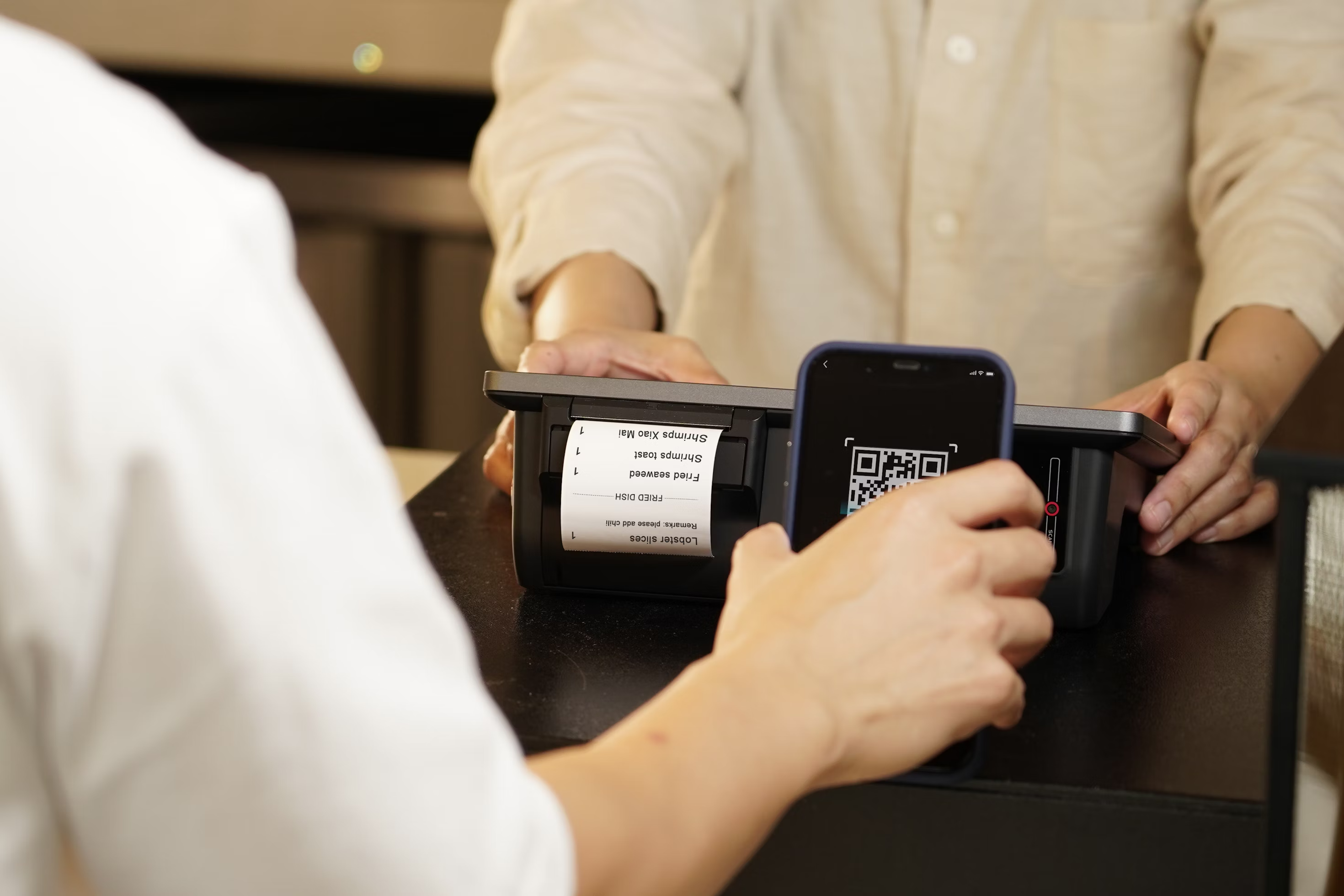
Choosing a POS system for your small business can be confusing. Some systems offer basic billing, while others include inventory tracking, customer management, sales reports, and many other tools.
But having more features doesn't always mean a system is better for your business.
The best POS system is one that fits your daily work, supports the payments your customers use, and stays within your budget.
So, how do you choose the right one?
In this guide, we'll explain what to look for in a POS system, how to compare your options, what to consider about wireless POS systems, and which questions to ask before buying.
What Does Your Small Business Need From a POS System?
Before comparing POS providers, think about how your business works each day.
A point of sale (POS) system helps businesses record sales, accept payments, and manage transactions. Modern systems can also provide tools for inventory, customer records, employee management, and reporting.
However, different businesses need different features.
For example, a clothing store needs to track product sizes and stock levels. A restaurant needs to send orders to the kitchen, while a salon may need appointment booking and customer history.
Business Type | Important POS Features |
Retail store | Barcode scanning, inventory tracking, returns, and discounts |
Restaurant or café | Order management, kitchen displays, table management, and split payments |
Salon or spa | Appointment scheduling, customer records, and payment tracking |
Food truck | Portable checkout, fast order entry, and offline support |
Service business | Invoicing, mobile payments, and customer history |
Start by writing down the tasks your employees perform most often.
This simple step can help you avoid paying for features that don't match your business.
How to Choose the Right POS System for Your Small Business
The right POS system should make everyday tasks easier, not more complicated.
When comparing providers, look beyond the list of features on their websites. Think about how the software will work during a busy day, how much you'll pay, and whether your team can use the system comfortably.
1. Choose the Features You Actually Need
Start with the basic tools required to run your business.
Most small businesses need a POS system that can accept payments, record sales, and provide transaction reports.
Depending on your business, you may also need:
Inventory management: Tracks products and shows when stock is running low.
Customer management: Stores customer information and purchase history.
Employee management: Controls staff access and tracks employee activity.
Sales reporting: Helps you see which products sell well and how sales change over time.
Online selling: Connects in-store purchases with orders placed through a website.
For example, if you own a small grocery store, barcode scanning and inventory tracking may be more useful than appointment scheduling.
Choose the features that solve real problems in your business. You can consider additional tools when your needs change.
2. Check Hardware and Payment Compatibility
A POS system often works with physical equipment such as a touchscreen, tablet, card reader, barcode scanner, or receipt printer.
Before choosing a provider, find out which devices the software supports.
If you already own POS equipment, ask whether you can continue using those devices. Some providers require specific terminals or card readers.
Payment compatibility matters just as much.
Make sure the system supports the payment methods your customers commonly use, including credit cards, debit cards, cash, and contactless payments where available.
Also, check whether the provider requires a particular payment processor.
A system that supports your existing hardware and preferred payment methods may help you avoid extra expenses.
3. Compare the Total POS System Cost
The monthly software subscription is only one part of POS pricing.
You may also need to pay for hardware, payment processing, setup, and optional features.
For example, one provider might charge $180 per month for software, while another charges $460. However, the cheaper provider could have higher processing fees or charge extra for features you need.
To compare costs fairly, consider:
Monthly or yearly software fees
Hardware purchases or rental charges
Card processing fees
Installation and training costs
Extra charges for devices, locations, or features
Ask each provider for a complete price breakdown.
Calculate the expected cost for the first 12 months rather than choosing based on the starting monthly price alone.
4. Make Sure the POS Software Is Easy to Use
A POS system should be simple enough for your team to learn.
If employees struggle to find products, change orders, or complete payments, checkout can take longer than necessary.
Look for software with clear menus, easy navigation, and a simple payment process.
During a demo, ask to test common tasks.
For example, try selling three items, removing one, applying a discount, and completing a payment.
Pay attention to how many steps each task requires.
Also, think about new employees. A system with straightforward controls may make training easier when someone joins your team.
5. Review Security, Customer Support, and Future Growth
Your POS system handles important business and payment information, so security should be a priority.
Look for features such as individual employee accounts, access permissions, secure payment processing, and regular software updates.
Ask how customer payment information is protected and whether the payment setup follows applicable PCI security requirements.
Customer support is another important factor.
Find out when support is available, how you can contact the provider, and whether technical assistance costs extra.
Finally, think about your future plans.
If you open another store, add employees, or start selling online, will your POS system support those changes?
Choosing software that can grow with your business may help you avoid switching systems too soon.
What Should You Consider About a Wireless POS System?
A wireless POS system allows employees to take orders or accept payments using compatible mobile devices without staying at a fixed checkout counter.
Wireless systems can be useful for restaurants, food trucks, market stalls, salons, and retail stores where employees move around.
However, there are a few things you should check before buying one.
Internet Connection
Find out whether the system uses Wi-Fi, cellular data, or both.
Test the connection in the areas where employees will take payments. Weak signals can interrupt transactions or delay updates.
Offline Support
Ask what happens when the internet stops working.
Some wireless POS systems can continue recording orders offline and sync the information once the connection returns.
However, offline order entry and offline card payments are not the same thing. Card payments collected offline may be declined later, and support depends on the payment processor.
Battery Life
Portable devices need enough battery power to last through daily operations.
Check how long the device runs on one charge and whether you can easily recharge the equipment during a busy shift.
Payment Security
Use a secure network for business transactions rather than an open public Wi-Fi connection.
Make sure the provider offers approved payment devices and suitable security controls.
Device Compatibility
Check whether your wireless terminal works with the necessary printers, card readers, and other equipment.
For example, a food truck owner may need a portable POS device connected to a Bluetooth receipt printer.
Before purchasing, ask the provider to demonstrate the complete wireless setup, including what happens when the internet connection drops.
Questions to Ask Before Buying a POS System
Before paying for a POS system, speak with the provider and request a demonstration.
A sales page may show helpful features, but you also need to understand how the system works in real situations.
Here are seven questions worth asking:
What is the total monthly cost, including payment processing and required features?
Can I use my existing hardware, or do I need to buy new devices?
Which tasks can the POS complete without an internet connection?
How long does setup and employee training usually take?
What customer support is available during my business hours?
Can I export my sales, inventory, and customer information if I switch providers?
Are there contracts, cancellation fees, or charges for adding another location?
Ask for important pricing and service terms in writing.
You should also request a hands-on demo rather than watching only a product presentation.
This gives you a better chance to spot problems before investing in a new system.
Find a Practical POS Solution With Vertex POS
At Vertex POS, we know that small business owners have many tasks to manage every day.
From handling customer payments to checking sales and keeping track of stock, having the right tools can make daily work more organized.
That's why we offer a connected POS platform designed to bring important business tasks together.
With Vertex POS, we provide tools for:
Sales and billing: Manage transactions, orders, and payments through our POS and billing software.
Inventory management: Monitor stock levels, make adjustments, and receive low-stock alerts with our inventory tools.
Sales reporting: Review business activity and sales information through our reporting and analytics features.
Customer management: Keep customer profiles and order history organized.
Restaurant operations: Support daily ordering, kitchen communication, and related workflows with available restaurant-specific tools.
Available features depend on the plan and modules selected.
We also offer options for mobile food businesses, including our Food Truck Mode, which supports offline order recording and syncing when a connection returns. Offline card payment availability depends on the payment provider.
If you own a small business in Jamaica, Queens, or another part of New York City, our team at Vertex POS can help you explore a POS setup that matches your daily needs.
Whether you're managing a café, restaurant, retail shop, or another small business, you can discuss your requirements with our team and confirm the available features for your operation.
Visit Vertex POS to explore our solutions, compare POS pricing plans, or contact our team to request a demo.
Final Thoughts
Choosing the right POS system for your small business starts with understanding what your team needs every day.
Focus on useful features, easy-to-use software, payment support, reliable customer service, and the total cost.
At Vertex POS, we're here to help businesses find practical tools for managing sales and daily operations. Explore our POS solutions and see how we can support your business.
Frequently Asked Questions About Choosing a POS System
Small business owners often have additional questions when choosing their first POS system or replacing an older one.
Is a Free POS System Good Enough for a Small Business?
A free POS system can work well for a small business that only needs basic sales and payment tools.
However, free plans may have limits on inventory management, employee access, reporting, or other features.
You may still need to pay for hardware and card processing.
Review the included tools and total costs before deciding whether a free plan is enough.
Can I Switch POS Providers Without Losing My Business Data?
Many POS systems allow businesses to export certain information, such as product lists, sales records, and customer details.
However, the data you can transfer depends on the old and new providers.
Before switching, ask which records can be exported, what file formats are supported, and whether the new provider can import them.
Keep a secure backup of your business information before making the change.



Ready to Grow Your Restaurant?
Discover why restaurants of every size trust Vertex to power their digital operations and customer experiences.