
Restaurant POS Systems: How They Work and What to Look For
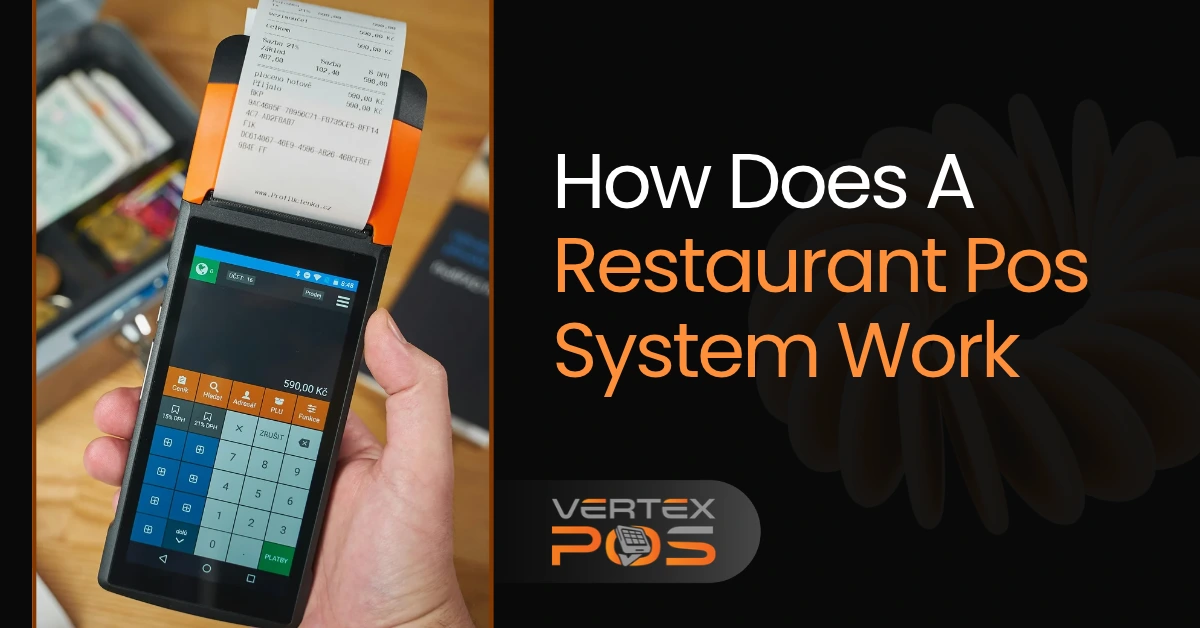
Running a restaurant means handling many things at once. You need to take orders, prepare food, accept payments, and keep track of sales. When the restaurant gets busy, even a small mistake can slow things down.
A restaurant POS system helps you manage these tasks in one place. It connects the people taking orders with the kitchen and keeps a record of each sale.
But how does a restaurant POS system work, and how do you choose the right one?
In this guide, you'll learn what a restaurant POS system is, how to use it, which features matter most, and what to check before buying one.
What Is a Restaurant POS System?
A restaurant POS system is a tool that helps restaurants take orders, accept payments, and manage daily work. POS stands for Point of Sale, which is where a customer pays for food or services.
A POS system usually includes software and hardware that work together.
The software handles tasks like recording orders, adding up bills, tracking sales, and checking inventory. The hardware includes devices such as touchscreen computers, tablets, card readers, and receipt printers.
For example, imagine a customer orders a burger with extra cheese and a drink. The server enters the order into the POS. The kitchen receives the details, and the system keeps track of the bill.
Once the customer pays, the sale is recorded.
How Is a Restaurant POS Different From a Cash Register?
A cash register mainly helps you collect money and record sales. A restaurant POS system can do much more.
Depending on the software, it can also:
Send orders to the kitchen.
Keep track of tables and open bills.
Split a bill between guests.
Monitor ingredients and stock.
Track employee hours.
Show daily sales reports.
This makes a POS useful for restaurants that want to manage more than just payments.
How Does a Restaurant POS System Work?
A restaurant POS system connects the steps between taking an order and completing a sale.
Instead of writing everything on paper or using separate tools, your staff can manage much of the process through one system.
Here's how it works in a typical restaurant.
Step 1: The Customer Places an Order
The process begins when a customer orders food.
A waiter or cashier selects the items on a POS screen. Some systems also accept orders through a restaurant's website, mobile device, or self-service kiosk.
For example, a customer might order a chicken sandwich without onions.
The employee enters the sandwich and adds the special request. The POS records those details so the order can be prepared correctly.
Step 2: The Order Goes to the Kitchen
Once the order is entered, the POS can send it to a kitchen printer or a Kitchen Display System (KDS).
A KDS is a screen that shows kitchen staff what food they need to prepare.
It may show the items, table number, and special instructions.
This means a waiter doesn't have to carry every order to the kitchen. Kitchen staff can also read the instructions instead of trying to understand handwritten notes.
Step 3: The System Keeps Track of the Order
While the kitchen prepares the food, the POS keeps a record of the order.
In a dine-in restaurant, the bill may remain open until the customer finishes eating.
If the customer orders another drink, the waiter can add it to the same bill.
Some systems also update ingredient stock when food is sold. This requires inventory tracking to be set up with the right recipes and quantities.
Step 4: The Customer Pays the Bill
When the customer is ready, the POS adds up the food prices, taxes, and any applicable charges.
The customer can then pay using one of the supported methods, such as cash, a debit card, a credit card, or a digital wallet.
With an integrated card reader, payment details are handled through the connected payment service.
In many restaurants, guests also want to split their bills or leave tips. Restaurant POS software with these features can make checkout easier for both staff and customers.
One important difference: customers often pay before receiving their food at a fast-food counter, while customers at sit-down restaurants usually pay afterward.
Step 5: The Sale Appears in the Reports
After payment, the completed sale becomes part of the restaurant's records.
The owner or manager can review reports to understand:
How much money the restaurant made.
Which menu items sold the most.
When the restaurant was busiest.
How many orders were completed.
How sales changed from one day to another.
For example, if chicken sandwiches sell more than other items, the owner can use that information when planning stock.
These reports help owners make decisions based on actual sales instead of guessing.
How to Use a POS System in a Restaurant
Learning how to use a restaurant POS system is usually straightforward once the menu, devices, and staff accounts are ready.
The exact steps depend on the software, but most restaurants follow a similar setup process.
Add your menu. Enter your food items, prices, sizes, and choices such as extra cheese or no onions. Set up taxes and charges that apply to your business.
Connect your devices. Set up the POS screen, payment reader, receipt printer, and kitchen display or printer, if you use one.
Create staff accounts. Give employees access to the tools they need. For example, a cashier may need payment access, while a manager may need reports and refund controls.
Run a test order. Enter an order, add a special request, check the kitchen ticket, and complete a test payment using the provider's test method.
Train your team. Show staff how to change orders, handle refunds, split bills, and close their shifts.
Before opening for service, practice a few common situations.
Try adding food to an existing table, canceling an item before preparation, and handling a customer who wants to pay with both cash and a card.
It's easier to find problems during training than during a busy dinner shift.
Key Features of a Good Restaurant POS System
Not every restaurant needs the same POS features.
A small coffee shop may care most about quick checkout, while a large restaurant may need table management and detailed kitchen orders.
Here are the features worth understanding before you choose.
Order and Table Management
Good order management helps employees record food choices and special requests without confusion.
For restaurants with table service, useful tools include table numbers, open bills, table assignments, and the ability to move items between tables.
Kitchen Order Management
A kitchen display or connected printer helps cooks see orders as they arrive.
This is especially helpful when the kitchen has separate areas for drinks, main dishes, and desserts.
Look for a system that can send the correct items to the correct preparation area.
Flexible Payment Options
Your POS should support the payment methods your customers commonly use.
Features like split bills, tips, refunds, and digital receipts can also help.
Check which payment methods are supported in your location and whether special equipment is required.
Inventory Management
Inventory features help restaurant owners know what supplies they have.
For example, if your restaurant uses milk, coffee beans, and bread every day, inventory records can help you plan when to order more.
Some POS systems can calculate ingredient use from recipes. Others only track finished products or require extra inventory software.
Check how the system handles food ingredients before choosing it.
Employee Management
Employee tools may allow you to track working hours, shifts, and staff sales.
Some systems also offer payroll tools or connections to payroll software.
This can reduce paperwork and make staff records easier to manage.
Sales Reports and Analytics
Sales reports show how your restaurant is performing.
You can compare daily sales, find popular food items, and see busy periods.
More advanced systems may also help you compare sales with food costs.
However, sales alone do not tell you your profit. You still need to consider expenses such as ingredients, wages, and rent.
Online Ordering and Delivery
If customers order from your website or delivery apps, look for a POS that can bring those orders into one place.
This can reduce the need to check several tablets or enter the same order twice.
Make sure your chosen delivery services can connect to the system before you buy.
What to Look for When Choosing a Restaurant POS System
A restaurant POS system may look impressive in a product demo. But what matters most is how well it handles your daily work.
Before spending money, check the following areas.
1. Make Sure It's Easy for Staff to Use
Your employees will use the POS every day, sometimes while customers are waiting.
Choose a system with clear menus, simple buttons, and an order screen that is easy to understand.
During a demo, ask someone to enter an order with several changes, then split the bill.
If basic tasks require too many steps, the system may be difficult to use during busy hours.
2. Check If It Fits Your Restaurant
A POS system should match how your restaurant serves food.
For example:
A coffee shop may need fast checkout and simple menu choices.
A fast-food restaurant may need quick orders, meal deals, and kitchen tickets.
A full-service restaurant may need table management, open checks, and split billing.
A delivery-focused kitchen may need online order connections and kitchen order tracking.
Start by listing the tasks your staff performs most often. Then find a system that handles those tasks well.
3. Ask What Happens When the Internet Stops Working
Internet problems can happen during business hours.
Before choosing a system, ask what will continue working if your connection goes down.
Can employees still enter orders? Will the kitchen receive them? Can you accept card payments, or only cash?
Also ask what happens to orders and records when the internet comes back.
Don't assume every offline POS feature works the same way.
4. Check Security and Customer Data Protection
Restaurants handle payment information and sometimes store customer contact details.
Ask your POS provider how it protects this information.
Look for features such as staff access controls, software updates, protected payment processing, and secure backups.
You should also ask how the provider supports your responsibilities under the Payment Card Industry Data Security Standard (PCI DSS), which helps businesses protect card payment information.
The PCI Security Standards Council provides guidance for businesses of all sizes.
5. Understand Support and Future Needs
Your restaurant may grow or change over time.
You might add more employees, offer online ordering, or open another location.
Ask whether the POS can support those changes and what additional tools would cost.
Support matters too. Find out how to contact the provider, when help is available, and whether training is included.
A good system should meet your current needs without making future changes unnecessarily difficult.
A Quick POS Demo Checklist
Before signing a contract, ask the provider to show you how to:
Enter a dine-in order with special instructions.
Send an order to the kitchen.
Add food to an existing bill.
Split a check and accept a payment.
Process a refund.
Check a daily sales report.
Find out-of-stock menu items.
Handle an internet outage.
Use your own menu during the demo if possible. That gives you a better idea of how the software will work in your restaurant.
How Much Does a Restaurant POS System Cost?
Restaurant POS costs depend on the software, number of locations, equipment, and payment services you choose.
Some providers charge a monthly subscription, while others offer different pricing plans or longer contracts.
The main costs to check include:
Software fees: Monthly or yearly charges for using the POS.
Hardware costs: Screens, tablets, card readers, printers, and other devices.
Payment processing fees: Charges for card and digital payments, which can vary by payment method and provider.
Setup and training: Fees for installation, menu setup, or staff training.
Additional features: Charges for inventory tools, online ordering, extra locations, or other services.
Don't choose a POS based only on its advertised monthly price.
Ask for a written quote that shows the full cost of running the system for one year.
Also check for cancellation fees, contract terms, equipment restrictions, and extra charges for support.
A lower monthly fee won't always mean a lower total cost.
Looking for a Restaurant POS System in New York City?
If you own a restaurant in New York City, having the right POS system can make daily operations easier. From busy cafés in Manhattan to takeout shops in Brooklyn and dine-in restaurants across NYC, every business needs a reliable way to manage orders, payments, and staff.
That's where Vertex POS comes in.
Vertex POS is an all-in-one restaurant POS software solution designed to simplify ordering, billing, kitchen operations, and business management.
Its key features include:
Restaurant ordering and billing: Manage dine-in, takeout, and delivery orders.
Kitchen order management: Send orders directly to kitchen screens or connected printers.
Inventory tracking: Monitor stock levels and keep track of ingredients.
Sales analytics: Review sales reports and understand business performance.
Online ordering: Let customers place food orders online.
Multi-location management: Manage multiple restaurant locations through connected tools.
Vertex POS also offers employee management and customer tracking features to help restaurant owners stay organized. Available features may vary by plan and setup.
Whether you're opening a new restaurant or running an established food business in New York City, explore the Vertex POS restaurant system to see how it fits your needs.
Want to see how it works for your restaurant? Call Vertex POS at (929) 741-0550 to request a demo.
Final Thoughts
A restaurant POS system should make everyday tasks easier, from taking orders to checking sales at the end of the day.
Before choosing one, focus on how your restaurant works. Test the order process, check the features, understand the costs, and make sure your team can use it comfortably.
The best POS system isn't necessarily the one with the most features. It's the one that helps your restaurant serve customers well and keeps daily operations organized.
Frequently Asked Questions
Restaurant owners often have a few more questions before choosing POS software. Here are some simple answers.
Can a Small Restaurant Use a POS System?
Yes. Small restaurants, cafés, and food trucks can use POS systems.
You don't need to run a large restaurant to benefit from digital orders, payment records, and sales reports.
Start with the features you need most so you don't pay for tools you won't use.
Can I Use My Existing POS Hardware With New Software?
It depends on the new POS provider and the devices you already own.
Some systems support certain tablets, printers, and card readers, while others require approved equipment.
Check device models and payment compatibility before switching.
Can a POS System Manage Dine-In and Delivery Orders Together?
Yes, many restaurant POS systems can manage dine-in, takeaway, and delivery orders.
However, connections to third-party delivery apps may require extra features, subscriptions, or supported integrations.



Ready to Grow Your Restaurant?
Discover why restaurants of every size trust Vertex to power their digital operations and customer experiences.