What Is a POS System? How It Works and What It Does
Every business needs a way to handle sales. It could be a clothing store selling shirts, a salon charging for haircuts, or a coffee shop serving customers.
But how do businesses take payments, record sales, and keep track of everything they sell?
That's where a POS system comes in.
A POS system does more than collect money. It can help you manage sales, track inventory, check business reports, and keep daily work organized.
In this guide, you'll learn what a POS system is, how it works, what it does, and how to choose one for your business.
What Is a POS System?
A POS system (Point of Sale system) is a combination of software and hardware that businesses use to complete sales and accept payments.
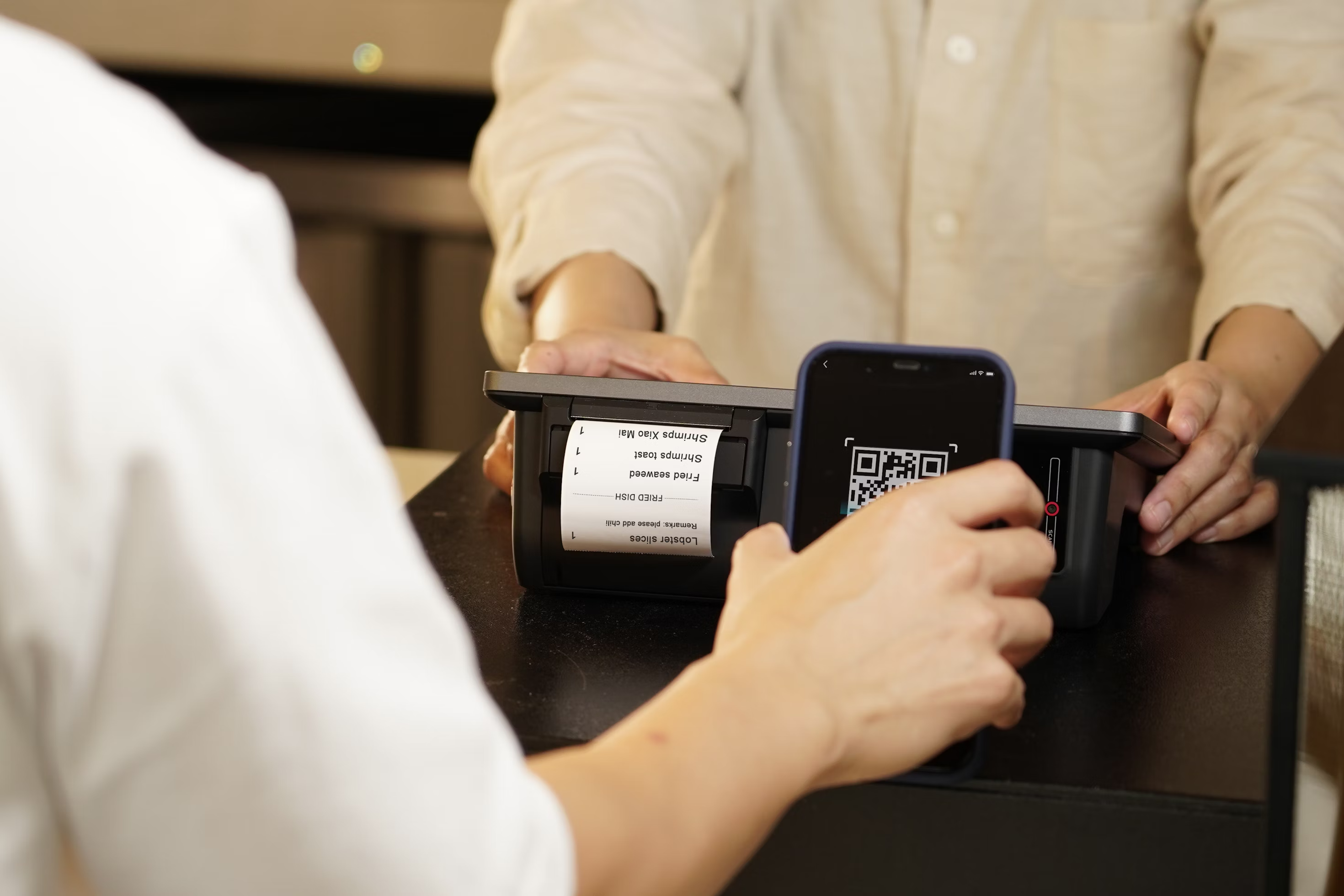
The point of sale is where a customer pays for a product or service. This might be a checkout counter, a service desk, or even a mobile device used at an event.
For example, imagine you own a small clothing store. A customer chooses a $25 shirt and brings it to the counter. You scan the shirt, and your POS system shows its price, adds any required sales tax, and helps you complete the payment.
Once the sale is finished, the system records it. If inventory tracking is enabled, it also updates the number of shirts left in stock.
In simple terms, a POS system helps businesses sell products or services and keep track of those sales in one place.
What Does a POS System Do?
The main job of a POS system is to process sales. However, modern POS systems can handle several other business tasks.
Here are some common functions.
Accept payments: Take cash, credit cards, debit cards, and supported digital wallet payments.
Record sales: Save details of each transaction, including the amount, date, and items sold.
Track inventory: Update stock levels when products are sold and help identify items that are running low.
Manage customers: Store customer information and purchase history, where supported and collected appropriately.
Manage employees: Control staff access, track working hours, or review sales by employee.
Create reports: Show daily revenue, popular products, and sales trends.
Not every POS system includes all these tools. Some offer basic checkout features, while others provide a wider range of business management options.
The right features depend on what your business sells and how you work.
How Does a POS System Work?
A POS system connects the steps of a sale, from entering an item to recording the payment.
Here's a simple example of how it works in a business.
Step 1: Add a product or service
The cashier scans an item's barcode, searches for it in the system, or selects a service from the screen.
The POS software finds the saved price and adds the item to the sale.
Step 2: Calculate the total
The system adds up the prices. It can also include sales tax, discounts, or other charges based on the business's settings.
The customer can see how much they need to pay.
Step 3: Choose a payment method
The customer chooses how to pay. This could be cash, a credit card, a debit card, or a supported digital wallet.
For card payments, the connected payment device sends the payment information securely for processing. The payment provider checks whether the transaction can be approved.
Step 4: Complete the sale
Once payment is accepted, the POS system marks the sale as complete.
It can print a receipt or send a digital receipt if that option is available.
Step 5: Update business records
The system saves the transaction details. When inventory tracking is connected, it can also reduce the stock count for the items sold.
For example, if your store had 20 notebooks and sold two, the stock count would change to 18.
Later, you can check your sales reports to see how the business performed.
All these steps help make checkout easier while keeping important business records organized.
What Are the Main Parts of a POS System?
A POS system usually has two main parts: hardware and software.
The hardware is the equipment you use. The software is the program that handles sales information and business tasks.
POS Hardware
POS hardware includes the physical devices used during checkout.
Common examples include:
POS terminal: A device used to enter sales and complete checkout.
Card reader: A device that accepts supported credit and debit card payments.
Barcode scanner: A tool that reads product barcodes.
Receipt printer: A device that prints customer receipts.
Cash drawer: A secure place to keep cash payments.
Touchscreen display: A screen used to select products, enter amounts, and manage sales.
You don't always need every device. A small business might use a tablet and a card reader, while a busy store may need several checkout stations.
POS Software
POS software is the program that makes the system work.
It helps staff enter purchases, calculate totals, record transactions, and review sales information.
Some POS software also includes inventory tracking, customer management, employee controls, and reports.
For example, a business owner can open the software to check which products sold the most during the day.
Depending on the system, software may run on a computer, tablet, smartphone, or dedicated POS terminal.
What Are the Different Types of POS Systems?
POS systems come in different forms. Some stay at a checkout counter, while others let businesses take payments almost anywhere.
Here are four common types.
1. Traditional POS systems
These usually run on computers or fixed terminals inside a business. They may store information on local computers or servers.
They are often used at permanent checkout counters.
2. Cloud-based POS systems
These systems store or sync business information through online servers.
With the right access and an internet connection, business owners can often check sales and reports from different locations.
3. Mobile POS systems
A mobile POS system uses a smartphone, tablet, or portable device to process sales.
It can be useful for small shops, markets, pop-up stores, and businesses that serve customers away from a fixed counter.
4. Self-service POS systems
These let customers complete some or all checkout steps themselves.
You may have seen them at grocery stores, cinemas, or self-service kiosks.
These types can overlap. For example, a mobile POS system can also be cloud-based.
POS System vs. Cash Register vs. Card Reader
A cash register, a card reader, and a POS system can all play a role in checkout. But they do different jobs.
Feature | Cash Register | Card Reader | POS System |
Records sales | Basic records | Payment records | Detailed sales records |
Accepts card payments | May need another device | Yes | With supported payment setup |
Tracks inventory | Usually limited | No | Often available |
Creates sales reports | Basic or limited | Payment history | Often detailed |
Manages customers | Usually no | Usually no | Available in many systems |
A cash register mainly helps with transactions and cash handling. A card reader focuses on accepting card payments.
A full POS system can connect checkout with other business tools.
If you only need simple payment collection, basic equipment may be enough. If you also need stock tracking, employee controls, and sales reports, a POS system may be more useful.
What Are the Benefits of Using a POS System?
A good POS system can make daily business tasks easier.
Faster checkout: Staff can find prices and calculate totals without entering every detail by hand.
Fewer manual mistakes: Saved prices and automatic calculations can reduce errors during checkout.
Better stock control: Inventory tools help you see what is available and what may need to be reordered.
Clearer business information: Sales reports can show busy periods, popular items, and changes in revenue.
Easier staff management: Employee accounts and access controls help owners manage who can use different parts of the system.
These benefits depend on how the system is set up and which features are included.
A POS system still needs correct product information, trained staff, and regular checks. It cannot fix every business problem on its own.
How Much Does a POS System Cost?
The cost of a POS system depends on the software, equipment, and payment services you choose.
Some businesses can start with a mobile device and a card reader. Others may need full checkout stations with printers, scanners, and several terminals.
Before choosing a system, look at these common costs:
Software fees: Monthly or yearly charges for using the POS software.
Hardware costs: The price of terminals, card readers, scanners, and other devices.
Payment processing fees: Charges for processing card or digital payments.
Setup and training: Possible charges for installation, data transfer, or staff training.
Extra features: Additional costs for advanced tools, integrations, or multiple locations.
Some providers bundle equipment and software together. Others charge for them separately.
Always ask for the full cost before signing up, including any contract terms, cancellation fees, and charges that may apply as your business grows.
How to Choose the Right POS System for Your Business
The best POS system is not always the one with the most features. It's the one that matches your daily needs and budget.
Before making a decision, consider the following questions.
1. What does your business need to manage?
Think about your normal work. Do you sell physical products, provide services, or both?
A business that sells products may need strong inventory tools. A service business may care more about quick billing and customer records.
2. Is the system easy to use?
Your staff should be able to learn basic tasks without too much difficulty.
Ask for a demonstration and try entering a sale, taking a payment, and finding a report.
3. Does it support your preferred payment methods?
Check whether the system works with the cards, payment devices, and digital wallets your customers use.
Also confirm which payment processor you can use.
4. Will it work with your current equipment?
If you already own a printer, scanner, or payment terminal, ask the provider whether it is compatible.
This may help you avoid buying unnecessary equipment.
5. What happens if the internet stops working?
Some systems can continue certain tasks without an internet connection. Others need internet access for most functions.
Ask exactly what works offline, whether card payments are supported, and what happens when the connection returns.
6. How are business and payment data protected?
Look for features such as employee permissions, secure payment processing, software updates, and reliable data backup.
You should also understand who can access your business information.
Finally, check the total cost and the support available when something goes wrong.
Taking time to compare these details can help you choose a POS system that fits your business today and can support your future needs.
Explore POS Solutions With Vertex POS
If you're looking for a system to handle daily sales and business management, Vertex POS is one option worth exploring.
Vertex POS brings together tools for billing, inventory management, customer tracking, employee management, and sales reporting.
These features are designed to help business owners manage important tasks from one platform instead of relying on several separate tools.
If you own a business in Jamaica, Queens, or another part of New York, you can explore Vertex POS and discuss which features may suit your operations.
Visit Vertex POS to learn more, or contact the team to ask questions and request a demonstration.
A demonstration can help you understand how the software works before deciding whether it is right for your business.
Final Thoughts
A POS system helps businesses complete sales, accept payments, and keep important records organized.
It can also make everyday tasks easier by connecting sales with inventory, customer information, and reports.
You don't need the most expensive system or every available feature. Start by understanding what your business needs, compare your options, and choose a setup that makes your work simpler.
The right POS system should help you spend less time managing transactions and more time serving your customers.
Frequently Asked Questions
Here are answers to a few common questions people ask when learning about POS systems.
Does a POS system need the internet to work?
It depends on the system. Many cloud-based POS systems need internet access to sync information and process online services. Some also support limited offline sales.
Offline card payments may require special settings and may not be approved until the connection returns. Check your provider's offline features before relying on them.
Can I use a POS system on my phone or tablet?
Yes. Some POS systems are designed to work on smartphones and tablets.
You may still need a compatible card reader or other equipment, depending on how you want to accept payments.
Can small businesses use a POS system?
Yes. POS systems are available for businesses of different sizes.
A small business may need only checkout and simple reports, while a larger business may want inventory, employee management, and tools for multiple locations.
Are POS systems secure?
POS systems can include security features such as account permissions, secure connections, and protected payment processing.
However, security also depends on the provider, payment setup, software updates, and how the business manages access. Always review these details before choosing a system.



Ready to Grow Your Restaurant?
Discover why restaurants of every size trust Vertex to power their digital operations and customer experiences.